Cross-Posting Reels to TikTok and YouTube Shorts: Only Post Your Winners
Cross posting social media the smart way: test on Instagram, pick the winner, then post only that video to TikTok and YouTube Shorts, with no watermarks.
Sam · · 14 min read
A creator in r/socialmedia posted one clip, same opener, on every app. It "hit 200k on reels and got 300 views on tiktok." Same video, same week. Two very different results.
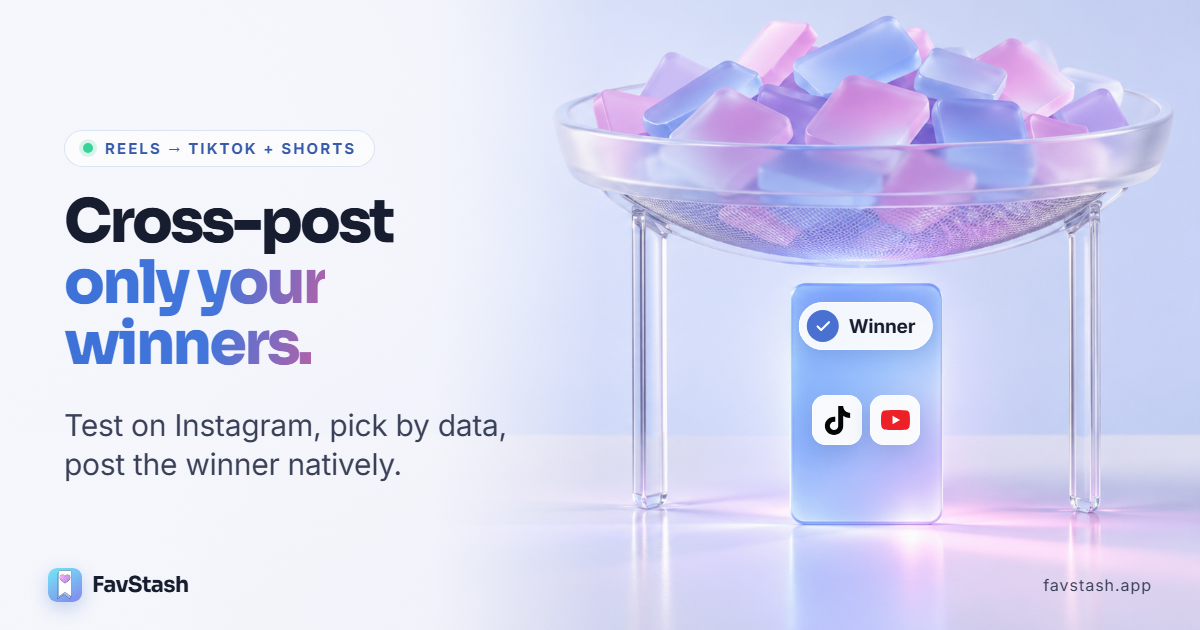
That's why I think most cross posting on social media is done backwards. People post everything everywhere, then try to work out what happened. I'd rather test on one platform first, find the video that actually won, and spin up tailored versions of that one for TikTok and YouTube Shorts, natively, from the original file.
To bring you this guide we read Instagram's, TikTok's and YouTube's own policy pages, Metricool's 6-million-video report and 30+ creator threads.
TL;DR#
- Don't post everything everywhere all the time Each app rewards different things, and the losers only add work.
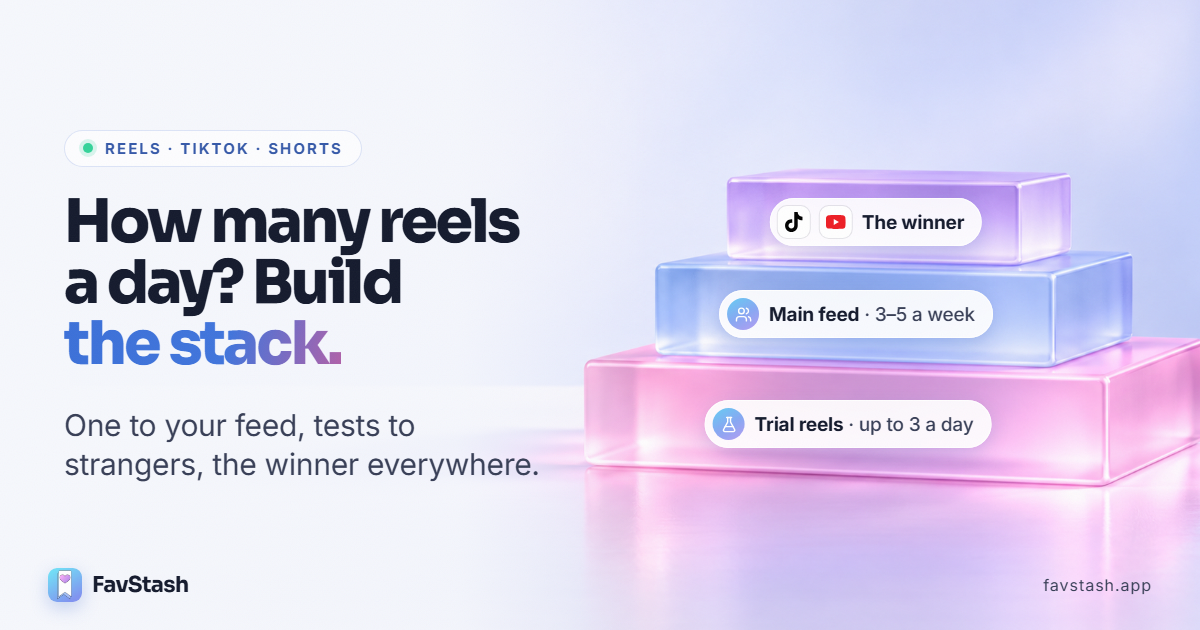
- Test on Instagram first: trial reels, then share the winner, then cross-post it.
- Pick the winner on skip rate, watch time and shares. Views alone will fool you.
- Upload your original export. Instagram and TikTok both hold back watermarked or reused uploads.
- Rewrite the wrapper for each app: caption, cover, title and where the text sits.
- Want it done in one go? Schedule your winner to TikTok and Shorts with FavStash. Free plan, no card.
Why "post once, publish everywhere" underperforms#
The crucial thing to understand is Cross posting on social media not just means putting the same content on more than one platform.
Each app rewards something different, so a clip can win on one and die on the next. You also lose the signal. One marketer put it bluntly: posting everywhere at once "defeats the purpose cuz you can't pick up on the patterns."
Then there's the problem of 'copying' sae content back and forth. Watermarks, re-downloads and repeats allare known to lose reach on Instagram and TikTok. And every weak video still costs you a caption, a cover and a title per app. That's real work spent on videos that already lost.
Metricool's Short Video Report data (6M+ videos, 375,000+ accounts, November 2026) shows how far apart the apps are:
| Platform | Where it leads | Where it trails |
|---|---|---|
| TikTok | Views: about 33,000 per video, 42.6% more than the average Reel | Shares and comments |
| Instagram Reels | Shares and comments at nearly every account size | Views |
| YouTube Shorts | Long-tail discovery for some niches | Third on every metric in the study |
These are averages across different videos, not one clip tracked on three apps. Still, they match what creators keep saying: how a video does on one app tells you very little about the next.
Step 1: Pick the winner using skip rate, watch time and shares#
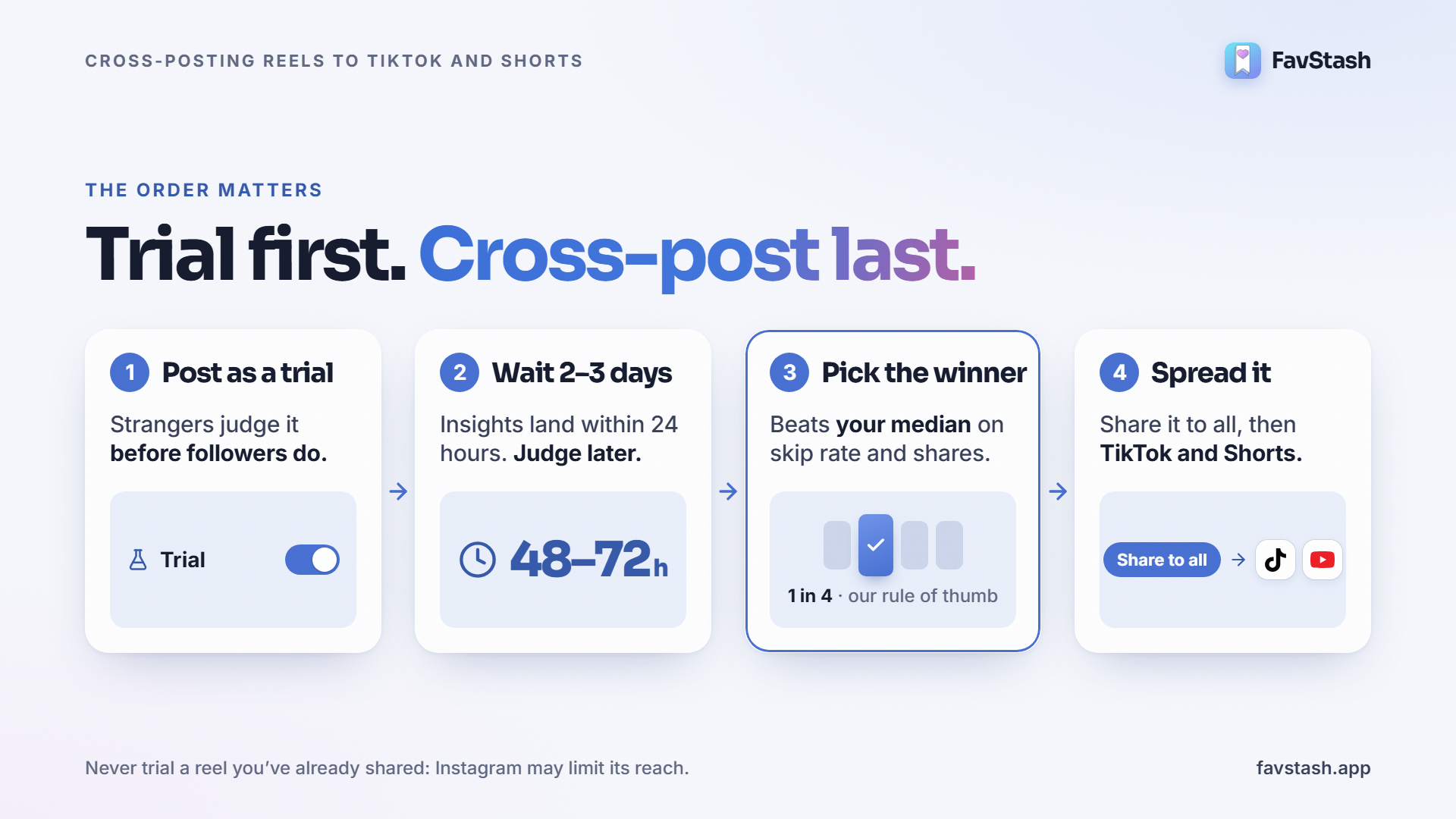
I test on Instagram because trial reels go to non-followers first. Strangers judge the video, not your fans. This ensures that you get to test it with a wider audience.
The order matters more than people think:
- Post new videos as trial reels. Instagram says a trial may get limited reach if you've already shared the same content. Trial first, never after.
- Wait two to three days. Insights show up within 24 hours, but give it time.
- Share the winner to everyone. It moves to your grid and Reels tab.
- Cross-post that winner to TikTok and Shorts.
It works. One game developer said trials drove "almost half of all my views and followers" over three months.
This is the scorecard I'd use:
| Metric | What it tells you | Winner looks like |
|---|---|---|
| Skip rate | % who swiped away in the first 3 seconds | Lowest of your recent reels |
| Average watch time | Whether people stayed into the body | Above your median |
| Shares | Whether it travels person to person | Top quarter of your reels |
| Saves | Whether it's worth keeping | Above your median |
| Follows | Whether it builds an audience | Any clear lift |
Instagram added skip rate in August 2025. Of the five, I watch shares hardest. If people send a video to a friend, it usually travels on other apps too.
My rule: cross-post a reel only if it beats your own median on skip rate and shares. For most accounts that's about one reel in four. It's a rule of thumb, not a platform number.
What about testing on TikTok first? Metricool recommends it, since TikTok gets the most views. I don't fully agree. It's fine if your audience lives on TikTok. I prefer Instagram because trials show the video only to strangers, and Instagram leads on shares and comments, the signals I care about. Whichever you choose, stick with one test platform. Switch around and your comparisons stop meaning anything.
With FavStash: FavStash pulls each reel's, average watch time, reach, shares and saves from Meta's API. Ask Claude, ChatGPT or llm of your choice to rank your last 14 days by skip rate and shares, and the winner comes back at the top. That's the one we want
Step 2: Upload the original file, never a watermarked download#
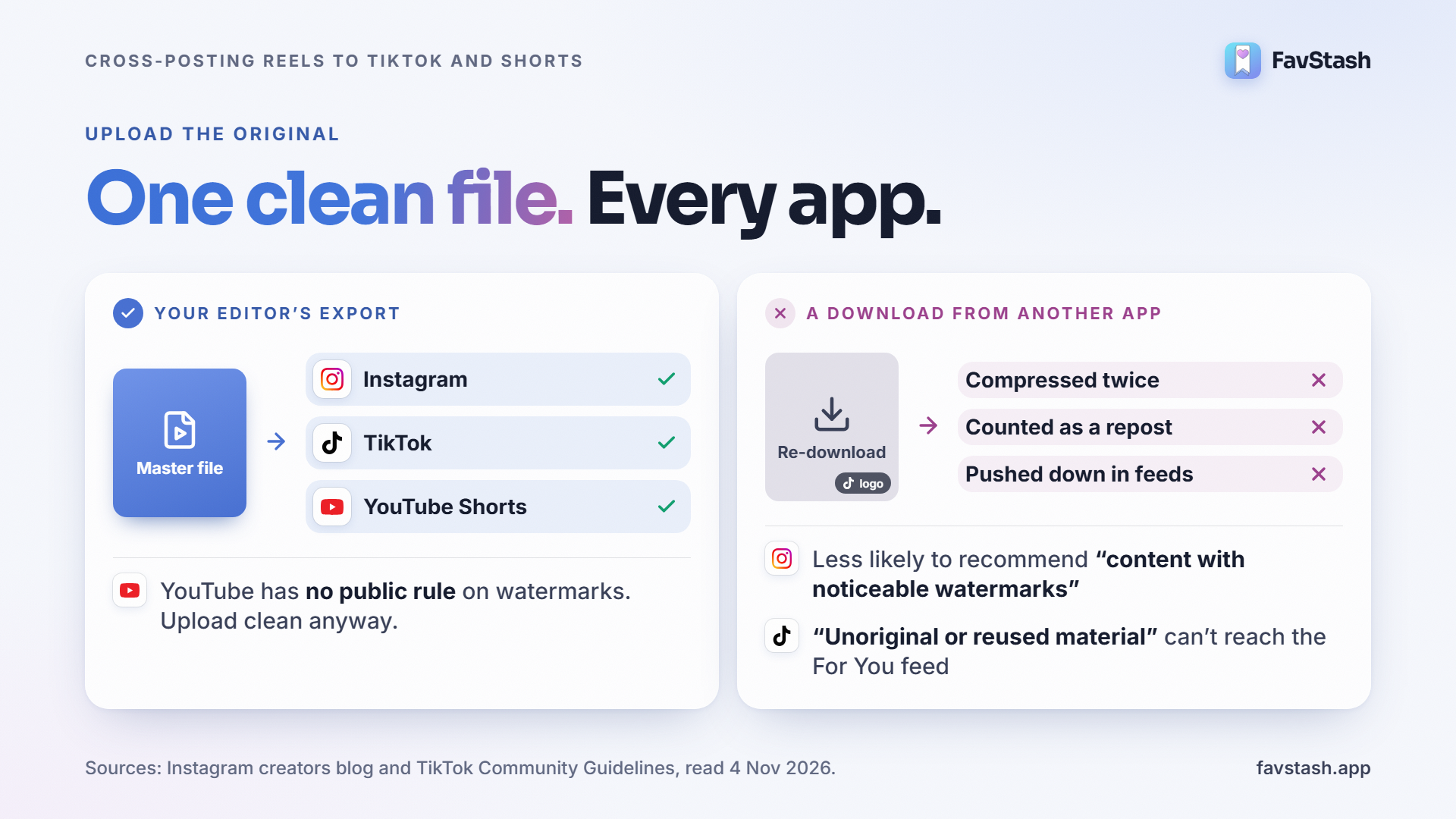
Export one clean master file from your editor and upload that file everywhere. Don't download your own video from one app to post on another. It carries the logo, and it gets compressed twice.
You don't have to take my word for it. Here's what the platforms say:
| Platform | What it says | Source |
|---|---|---|
| Less likely to recommend "content with noticeable watermarks" | Instagram creators blog | |
| Original content "will directly replace the copied version in recommendations" | Originality update, April 2024 | |
| "Adding a watermark does not qualify as materially edited content" | Instagram Help Center | |
| TikTok | Content is "ineligible for the FYF if it includes unoriginal or reused material" | TikTok Community Guidelines, effective September 2026 |
| YouTube | No public rule on other apps' watermarks for Shorts | Not stated. Upload clean files anyway |
YouTube is the odd one out, and I wouldn't claim it penalises logos. But there's no upside to leaving one on. A creator in the same r/socialmedia thread summed it up: "Post the original file, not a download with another app's watermark on it."
Pro tip: check the audio before you export. A sound picked from TikTok's library may not carry over to Instagram or YouTube. Add music inside each app, or use audio you own.
Step 3: What to change for TikTok, then for Shorts#
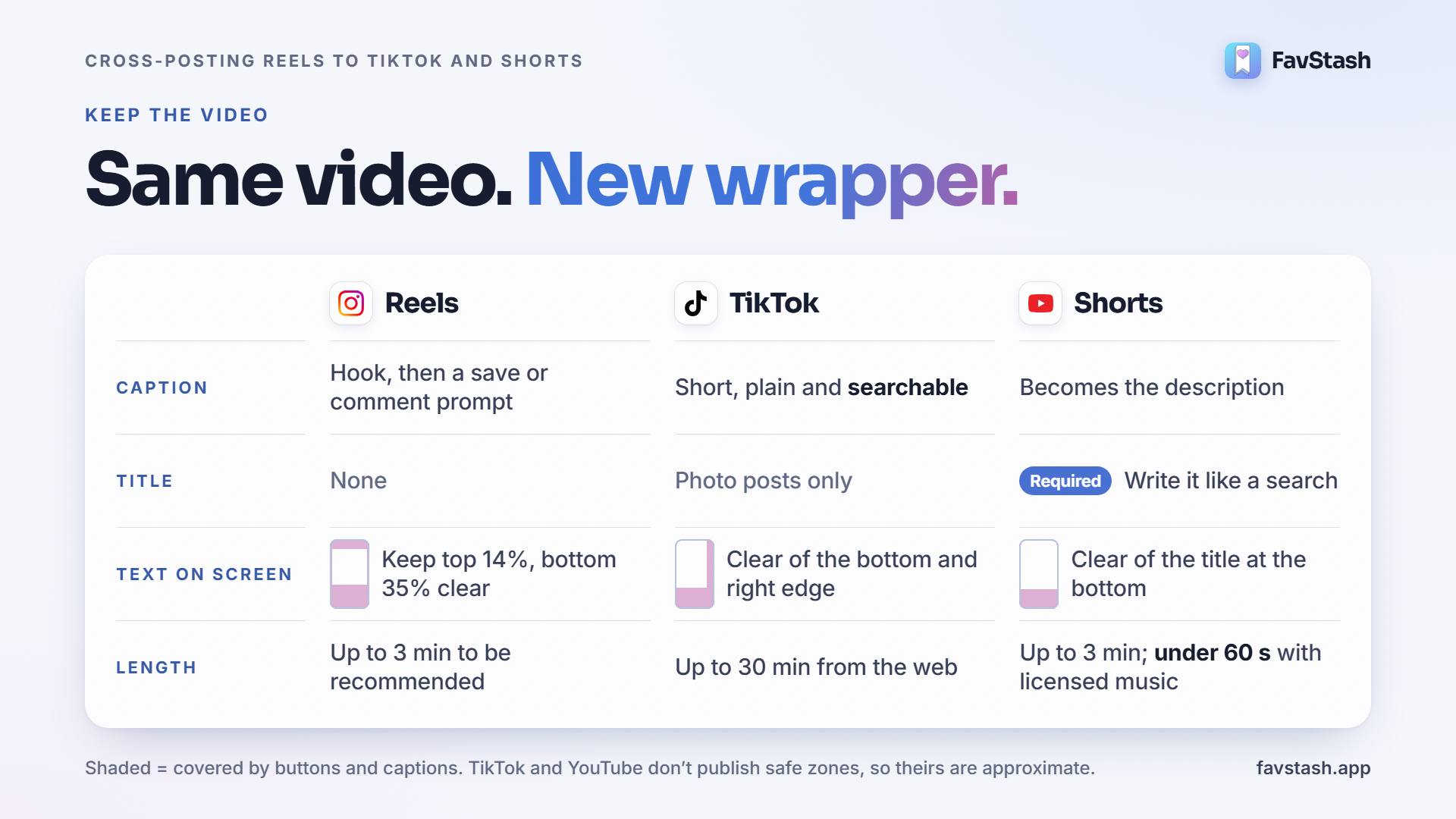
Keep the video. Rewrite everything around it.
| Element | Instagram Reels | TikTok | YouTube Shorts |
|---|---|---|---|
| Caption | Hook plus a save or comment prompt | Short, plain description of the topic, searchable | Becomes the description |
| Title | None | Photo posts only | Required. Write it like a search |
| Cover | Grid-friendly frame | Set at upload | Pick a clear frame |
| Length | Up to 3 minutes to be recommended | Up to 30 minutes from the web | Up to 3 minutes |
| Text placement | Keep ~14% top, ~35% bottom, ~6% sides clear | Bottom and right edge covered by buttons and caption | Bottom area covered by title and buttons |
| Audio | Add in-app or use your own | Add in-app or use your own | Use your own or YouTube's library |
Sources: Instagram's Reels guidance, Meta's Reels safe-zone spec, TikTok upload limits and YouTube's Shorts length rule. TikTok and YouTube don't publish organic safe-zone sizes, so treat those rows as approximate.
For TikTok
- Trim the dead air at the start. TikTok rewards a fast opening.
- Rewrite the caption in plain words people would actually search.
- Pick a cover at upload. It's what shows on your profile grid.
- Move on-screen text up if it sits behind the caption or the buttons.
- Set the switches: privacy, duets and stitches, and the AI-content label if it applies.
For YouTube Shorts
- Write the title like a search. "How I edit Reels in 10 minutes" beats "part 2" every time.
- Keep it under 60 seconds if there's any music you don't own (more on that in Step 4).
- Add a description: one line of context, plus a link to a long-form video if you have one.
- Fix the ending. Shorts viewers subscribe less, so give them a reason to follow.
How long should this take? One editor who does it for clients says about "ten minutes" per clip. That feels like the right budget to me. If it's taking much longer, you're re-editing the video instead of adapting it.
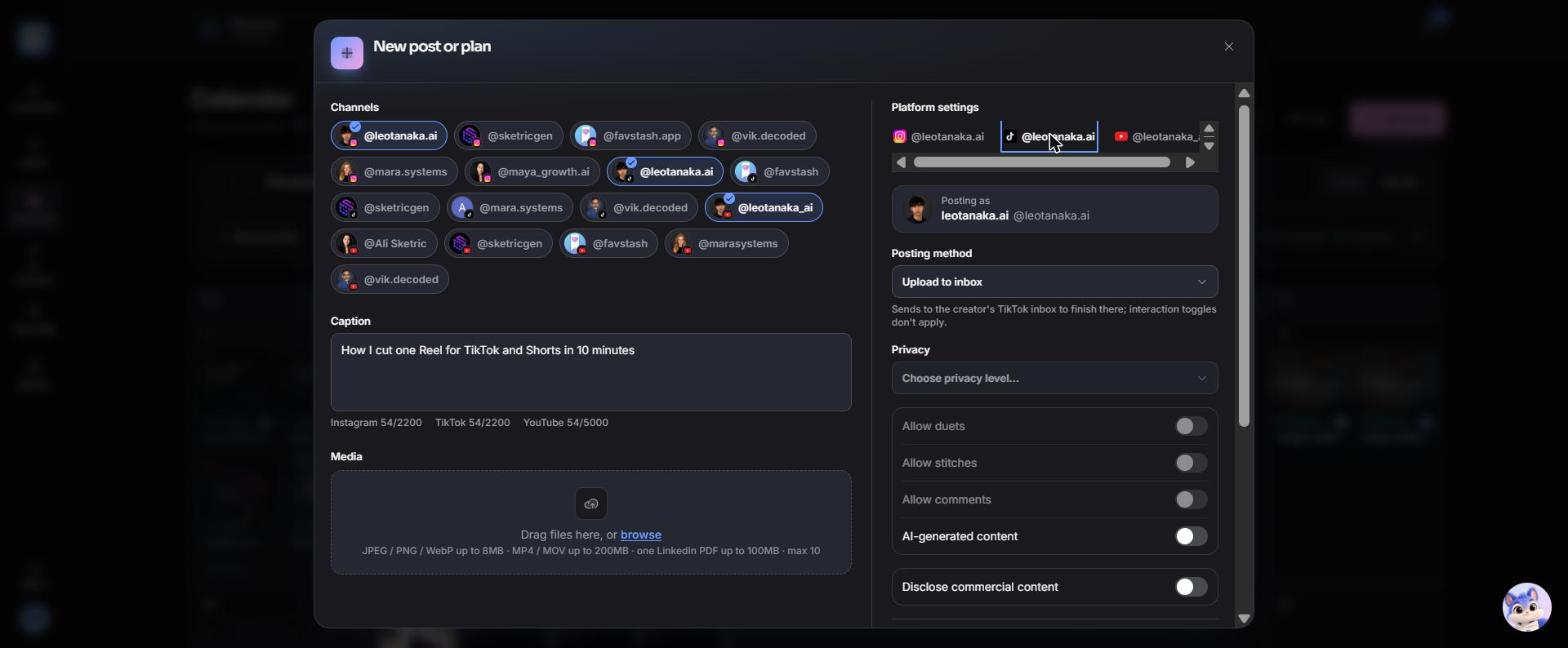
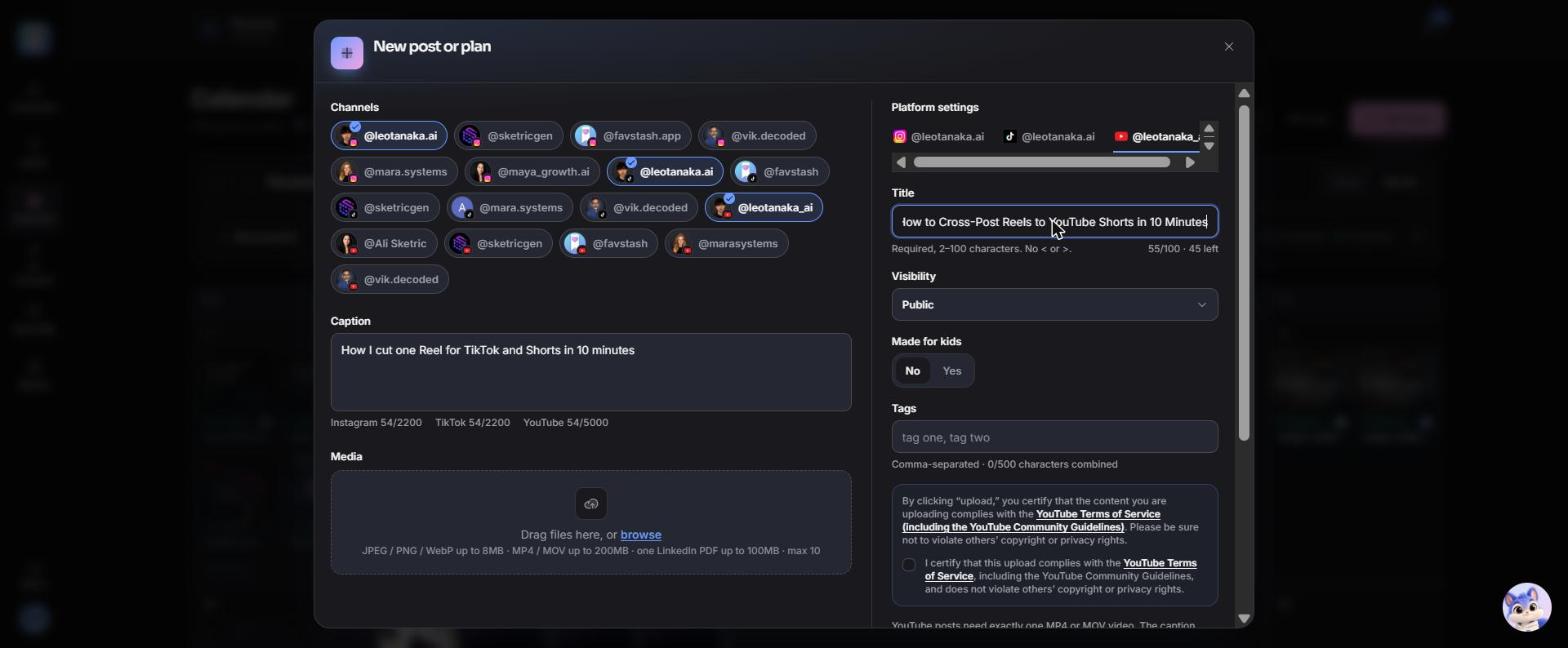
With FavStash: the composer gives each platform its own settings tab. TikTok gets the posting method, privacy, duets, stitches, comments and the AI label. YouTube gets a required title, visibility, made-for-kids and tags. The scheduling docs list every field.
Step 4: Post timing and the YouTube copyright check#
Timing. Honestly, nobody has shown that staggering helps. Post when each platform's own audience is active, which each app's analytics will tell you. A day apart is fine. So is the same day.
Copyright is the part that bites. Check these before you schedule a Short:
- YouTube says a Short "over one minute in duration with an active copyright claim" is blocked worldwide. So keep licensed-music Shorts under 60 seconds, or swap to audio you own.
- The reused content policy is a monetization rule aimed at videos with no original value. It doesn't ban posting your own TikTok, though it "applies even if you have permission."
- Keep proof you posted first. One creator got a reused content strike on their own video after others ripped it, and only won the appeal by showing the original upload date.
Step 5: Judge each platform against its own baseline#
Comparing TikTok views with Shorts views is a trap. Compare each platform with its own last 10 posts.
One cooking creator posted the same 30-second clips for two months:
| Platform | Average views | Followers gained |
|---|---|---|
| YouTube Shorts | 4,000 | ~15 subscribers |
| TikTok | 400 | 200+ |
| Instagram Reels | 300 | Not stated |
Source: r/contentcreation, October 2026. Shorts "won" on views and lost on growth. A reply in the thread suggested looking at subscribers per 1,000 views instead, which I think is the smarter number.
We see the same swings on our own accounts. In the last week of October, one of our TikTok accounts was up 33% on the week before. Another was down 73%. Week to week, a single app is noisy. That's why I'd judge it on a month of winners, not one post.
Per platform, I'd track views per post against that app's median, follows per 1,000 views, and shares per post.
Decision rule: if a platform trails its own median for a month of winners, either drop it or change only the first three seconds for that app.
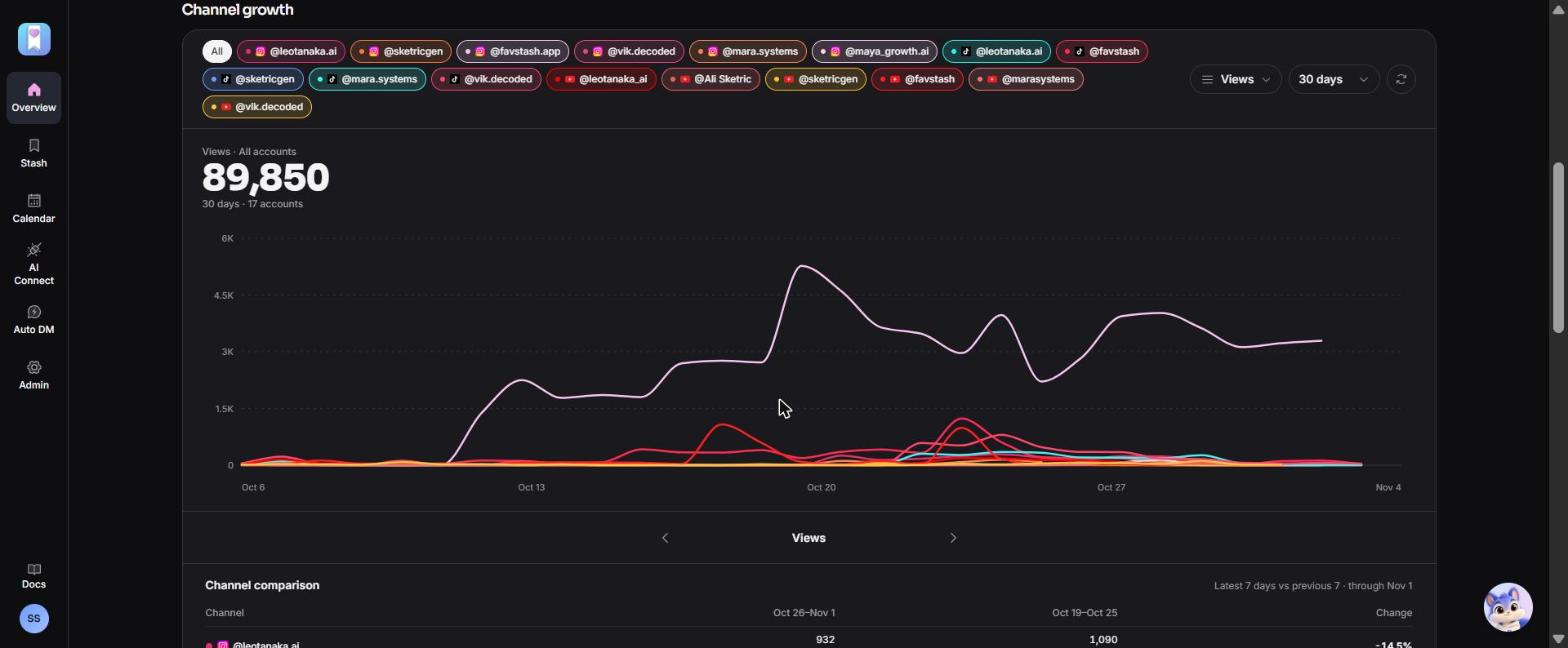
With FavStash: cross-platform analytics put Instagram, TikTok and YouTube on one chart, with a 7-day comparison per channel. Each platform's API limits what's shown. TikTok gives per-video views, likes, comments and shares, but no reach or saves.
Cross-post the winner with one prompt#
Scheduling to several apps is standard now. Every tool does it. The slow part is picking the winner and rewriting the wrapper for each app, and that's where we built FavStash to help.
FavStash connects to Claude or ChatGPT, so one request can give each platform its own caption and settings. One honest note: the web composer shares one caption across channels. Per-platform captions come through Claude, ChatGPT or another AI agent.
Find my Instagram reel from the last 14 days with the lowest skip rate
and above-median shares. Schedule the original export to TikTok tomorrow
at 7pm with a short searchable caption, and to YouTube Shorts on Friday
at 6pm with a search-style title. End both captions with:
"Comment GUIDE on my Instagram for the free template."
Show me the drafts before scheduling.
Here's how the pieces fit together:
- Analytics pick the winner.
- Our free Creator Skills run on your computer.
publish-and-analyzeprepares the clean export and covers, and checks files for duplicates. - Scheduling sends the video to TikTok, YouTube, Instagram, LinkedIn and X.
- Comment-to-DM stays on Instagram, and your TikTok and Shorts captions point people there.
What FavStash won't do: post to Facebook, Threads or Pinterest, or suggest best posting times. The free plan covers 1 channel and 4 posts a month.
Common cross-posting mistakes#
| Mistake | Why it hurts | Fix |
|---|---|---|
| Re-uploading a TikTok download | Instagram classes it as a repost, and quality drops | Upload your original export |
| Dumping your whole back catalogue on Shorts | One creator's bulk upload sat at 0 views | Post winners, a few a week |
| Trialling a reel you've already posted | Instagram limits repeated content | Trial first, then share |
| Copying one caption everywhere | Each app reads captions differently | Rewrite per platform |
| Judging on views alone | Shorts can win views and lose followers | Track follows per 1,000 views |
| Text under the buttons | Viewers can't read it | Check each app's preview |
| Long Shorts with licensed music | Claims over 60 seconds block the Short | Keep it under a minute |
What practitioners are saying#
The gap between platforms is the most common complaint. A reply in r/InstagramMarketing put it in one line: a post with "7000 views on TikTok gets 200 on IG."
Watermarks still catch people out. A November 2026 checklist for reels stuck at 0 views puts the TikTok logo second, right after Account Status.
And some creators already work trial-first. One author running 3 reels and 3 trials a day asked how to send only the main reels to TikTok and Shorts. That's exactly the workflow in this guide.
How we checked#
- Platforms: Instagram's creators blog, originality update and Help Center; TikTok's Community Guidelines; YouTube's Shorts and monetization help pages. All read 4 November 2026.
- Data: Metricool's November 2026 short-video report (6M+ videos), plus week-over-week views from our own accounts in FavStash.
- Creators: 35 Reddit and Quora sources from 2025 and 2026. We dropped tool-founder replies and flagged one likely seeded question.
- Not done yet: a controlled same-video test on three platforms. When we run one, we'll add the numbers here.
| Topic | Platforms say | Creators report |
|---|---|---|
| Watermarks | Instagram and TikTok both reduce reach for watermarked or reused uploads | The TikTok logo is a common cause of 0-view reels |
| Your own video on YouTube | Reused-content rules target videos with no added value | Some get flagged after others steal their clip |
| Trial reels | Must be new content | Re-trialled clips now hit a ceiling |
| Timing | No guidance | No consensus. Post when each audience is active |
Author's take#
Most people cross-post to save time. Done the lazy way, it costs time, because you end up adapting videos that already failed.
So here's where I land. Cross-post the top one in four. If a reel didn't beat your own median on Instagram, it isn't going to travel. The one exception: if your audience is clearly bigger on TikTok, flip the whole thing and let TikTok pick.
Then spend the time you saved on the ten minutes that matter. A new caption, a better title and a clean file.
Cross-posting is one step in content maxxing: test, pick the winner, spread it, then make more like it. If you're still working out how often to post at all, start with how many reels to post a day.