Turn Claude, ChatGPT or any agent
into your video editor

Stop losing an hour to every edit. Your own AI agent cuts clips, adds captions and motion graphics on your computer with free open-source skills. No editing credits to buy. FavStash adds your saved reels, posting and results. Editing needs a local agent like Claude Code or Codex.
On your phone? Create your free account now, then email yourself the setup prompt to use on your computer.
Create your free account- About 10 minutes to set up
- Skills are free and open source
- Review your edit before posting






Example workflow with illustrative content and results.
Start from a reference you chose
Save a reel you love. Ask your AI to identify its structure and draft your own take in your voice.
Finished edits from your clips
Hand off cuts, captions, sound and motion graphics. Watch the result and ask for changes before you post.
Posting from the chat
Instagram, TikTok, YouTube and LinkedIn. You say go, it schedules.
A next step from your results
Ask what stands out in the available metrics, then choose one change to test next.
You save a reel. Your agent does the rest
Your agent is in charge: Claude, ChatGPT or any other. The free skills teach it how to make videos. The FavStash connector gives it your saves, your accounts and your results.
- 01
Save a reel you love
YouSpot a reel that works? Share it to FavStash from Instagram, TikTok or YouTube.
FavStash app
- 02
It breaks the reel down
Your agentYour agent finds it and reads the available transcript, hook and notes. Ask which parts of the structure you could adapt.
find-ideas skill + connector
- 03
It makes it yours
Your agentIt adapts the idea to your topic and voice, writes hooks to test and a script you can film.
write-script skill
- 04
It edits your clips
Your agentIt cuts your takes, adds captions, sound and motion graphics, and checks the video at phone size.
edit-video + a style skill
- 05
It posts from the chat
Your agentIt shows you the file, caption, account and time. You say go, and it schedules the post.
FavStash connector
- 06
It learns from the results
Your agentIt compares the metrics your platforms provide and suggests a change to test in your next post.
publish-and-analyze + analytics
The free skills teach it what pro editors know
These rules live inside the skills. Your agent follows them on every edit, so you never have to learn them.
Hooks that stop the scroll
It uses your references to draft opening lines in your voice. Choose one to test rather than copying another creator's wording.
One clear story
Hook, proof, a twist, then the payoff. Every line gives people a reason to keep watching.
No boring bits
It cuts retakes and dead air, shows proof right after the promise, and changes the picture when the story moves.
Safe zones
Text stays where the app leaves space, away from the like button, your name and the caption.
Captions you can read
Big words, one or two lines, timed to your voice, never over your face.
Motion graphics
Moving charts, steps and text when a picture explains it faster than words.
Sound that fits
A click when something is clicked, a pop when something appears. Music gets quiet when you talk.
It checks its own work
It watches the finished file at phone size and checks the sound before you ever see it.
Multiple editing styles, ready on day one
Your agent picks the style that fits your clips, or you choose. Each style is a free skill, and your own look always wins.
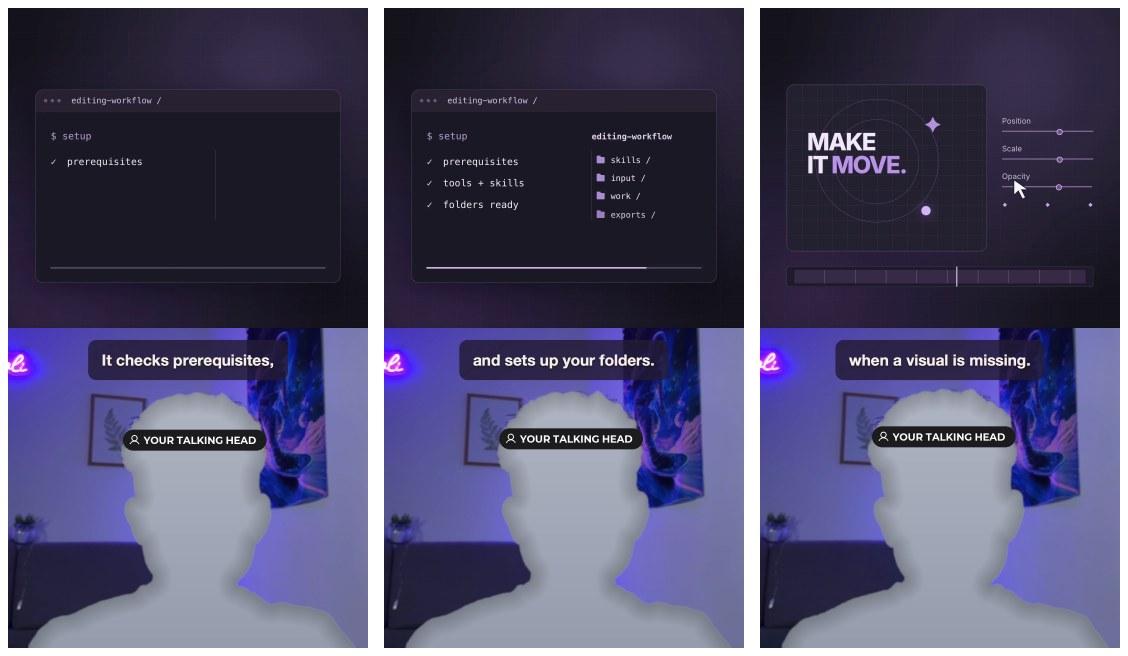
Adaptive glass
adaptive-glassYou talking, with your real screen proof in glass panels. Best for product and tool videos.
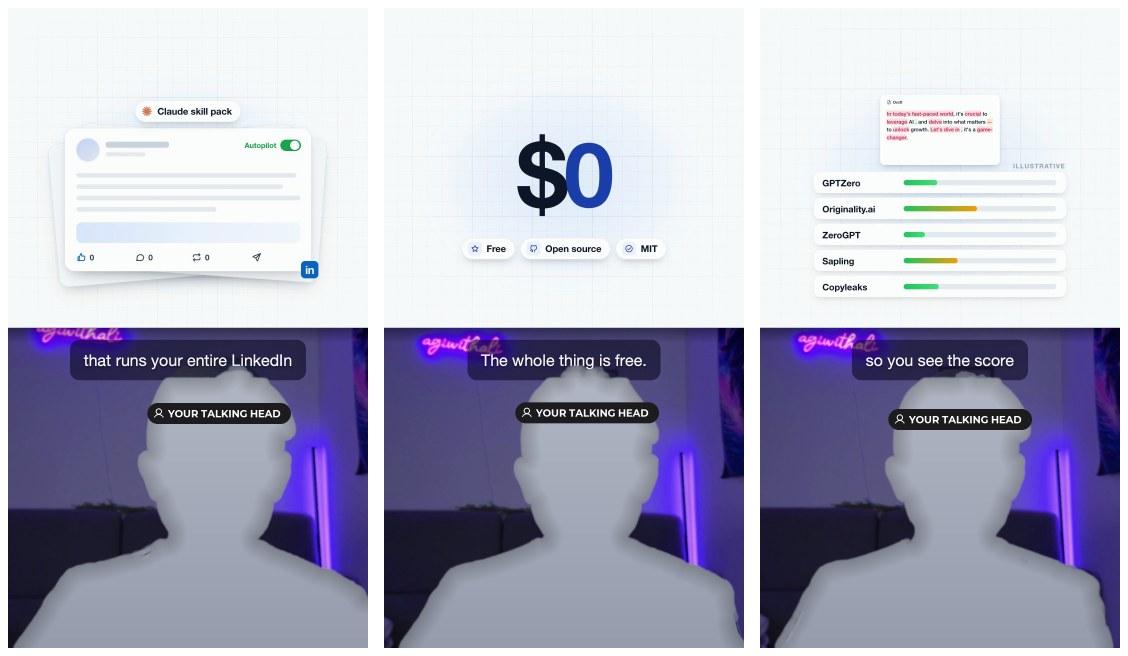
Paper grid
paper-gridA clean grid above you, one moving card for every line. Best for explaining tools.
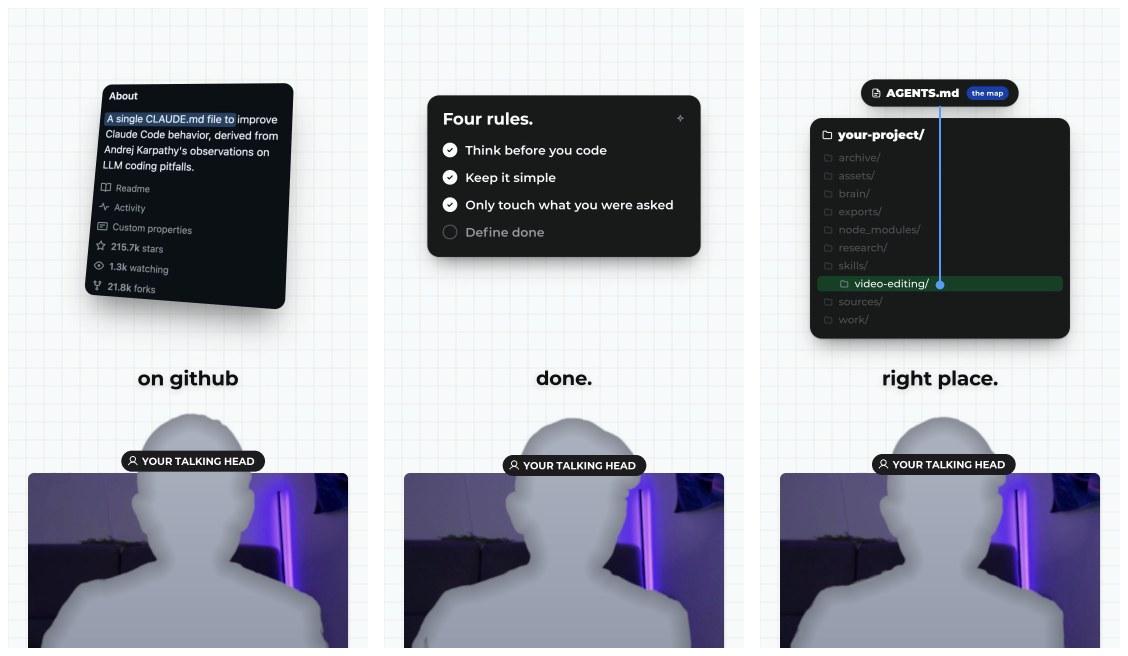
Breakout card
breakout-cardYour head pops out of a card, with big one-word captions. Best for talking-head tips.
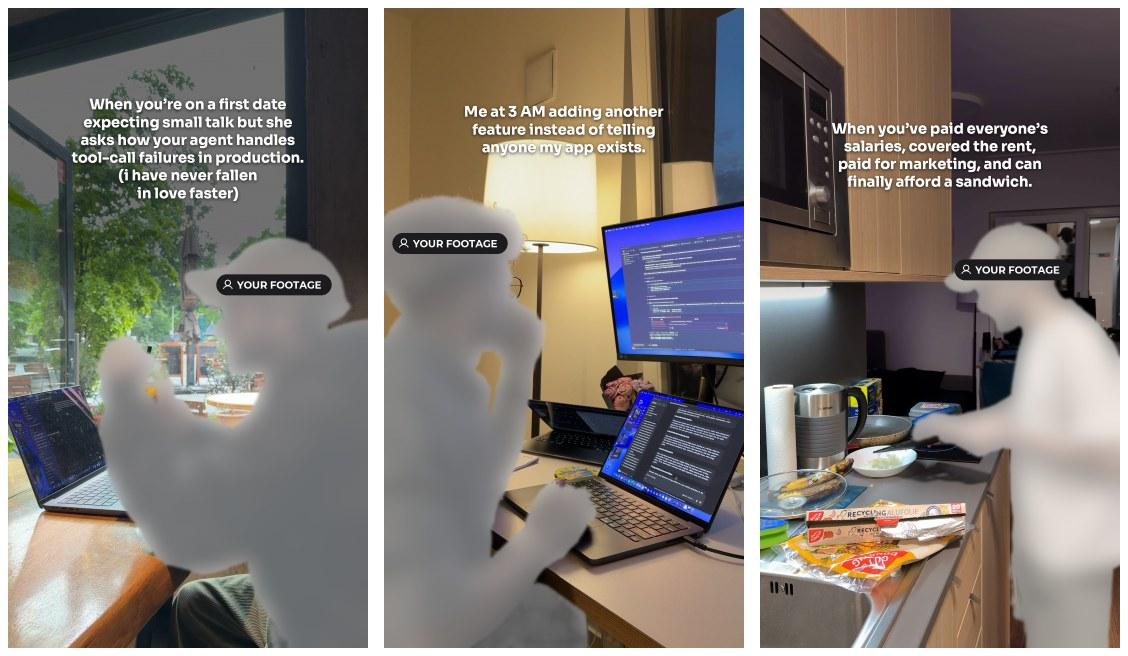
Text over footage
text-over-footageOne line of text over clips that match it. Best for jokes and quick stories.
Clean talking head
No style on top: tight full-camera cuts with readable captions. Best for personal stories.
Your own look
Give it your fonts and colors, or a reel you love, and it follows them in every edit.
Previews are frames from real reels made with the skills, with the speaker replaced by a placeholder.
Set up in 10 minutes: you paste, your AI does the rest
Five steps. You do the easy parts: copy, paste, click Allow.
- 01
Open your AI app
You · ~1 minUse Claude Code (in the Claude desktop app or your terminal), Codex (sign in with your ChatGPT account), OpenClaw or Hermes. It must run on the computer where your videos are.
- 02
Paste the prompt
You · ~1 minCopy the prompt below, paste it into the chat and press Enter. That's the only thing you type.
The setup promptSet up FavStash creator skills for my short-form workflow. Clone https://github.com/alisadiq-ai/favstash-ai-video-editing-skills and follow: https://raw.githubusercontent.com/alisadiq-ai/favstash-ai-video-editing-skills/main/INSTALL_FOR_AGENTS.md Install all eight skills and the local media tools they need in my workspace. Check whether FavStash is connected; if not, connect it with the FavStash CLI (Codex or Claude Code) or guide me through sign-in. Verify the setup, then tell me how to start my first reel. - 03
Let it install
Your AI · ~6 minIt downloads 8 skills and free video tools (FFmpeg and HyperFrames), then makes a tiny test video to prove it works. If it asks, click Allow.
- 04
Sign in to FavStash
You · ~1 minA browser window opens. Sign in (it's free) and click Allow. That's the connector. Skip it if you only want editing.
- 05
Link your accounts
You · ~1 minConnect Instagram, TikTok, YouTube or LinkedIn inside FavStash. Only needed for posting and results.

Done. Now make your first reel
Try saying- “Find 3 reels I saved that I could make my own version of.”
- “Break down this reel and write 3 hooks for my idea in my voice.”
- “Edit these clips into a 30-second reel with captions.”
- “Post it Friday at 6pm on Instagram and TikTok.”
- “Which of my last 10 videos kept people watching longest?”
Get your editing hours back. Know what to test next.
Your agent prepares an edit for review and helps compare the results your platforms provide. You decide what to change and what to publish.
Your weekly workload
How much work could you hand off?
Editing and posting you could hand off:
7.5 hours every week
6 h of editing + 1.5 h of posting. That's about 33 hours a month.
Set it to your week
An estimate from your numbers: your editing time plus about 10 minutes to post to each channel. This is work you could delegate, not guaranteed time saved. Setup, rendering, revisions and your review still take time.
Your analyst
See what the results suggest testing next
- Finds the second people leave, from YouTube retention curves
- Compares watch time, average view and skip rate on Instagram
- Suggests a hook, pacing or payoff change to test
- Picks one change to test in your next video
Retention curves are available for YouTube videos posted through FavStash. Instagram watch time and skip rate appear when Meta provides them; TikTok shares views, likes, comments and shares.
Your agent does the work. You choose the direction.
Free skills teach it
The connector gives it
Review the details before posting
You approve the exact file, caption, account and time first.
Editing tools run in your workspace
The editing tools render locally. Your AI provider may process clips or frames you share with it.
Free skills. A free plan to try.
The skills are Apache-2.0. FavStash has a free plan with starter limits; your AI subscription is separate.
Questions, answered before you ask
Still curious? Read the FavStash FAQ or ask support.
New to FavStash?
Start free: unlimited saves, 1 channel and 10 posts a month. No credit card.