Best Social Media Scheduling Tools (2026): 8 Tools compared honestly
8 social media schedulers compared on real cost: FavStash, Buffer, Metricool, Publer, Later, Planoly, Hootsuite and Sprout, plus free plans and team pricing.
https://www.linkedin.com/in/samm007 · · 20 min read
Finishing a Reel is only half the job. It still has to reach Instagram, TikTok, YouTube, LinkedIn and X, each with its own rules: a title on YouTube, 3,000 characters on LinkedIn, four photos on X. One creator on r/ContentCreators put a number on it: "You create one solid piece and then spend 45 minutes reformatting and manually uploading to 4 different platforms. It kills the momentum."
The best social media scheduling tools turn that into one upload and one calendar for every platform, and the good ones keep your saved ideas and results in the same place. This guide compares eight of them for 2026 on what they'll cost for your channels and team, what their free plans cover and which post types they skip. FavStash is ours, so it's listed first, and we say where it loses.
Key Points#
- What a tool bills for decides your bill. Buffer charges per channel, Publer per account, Later and Planoly per "social set", Metricool per group of brands, and Hootsuite and Sprout per person.
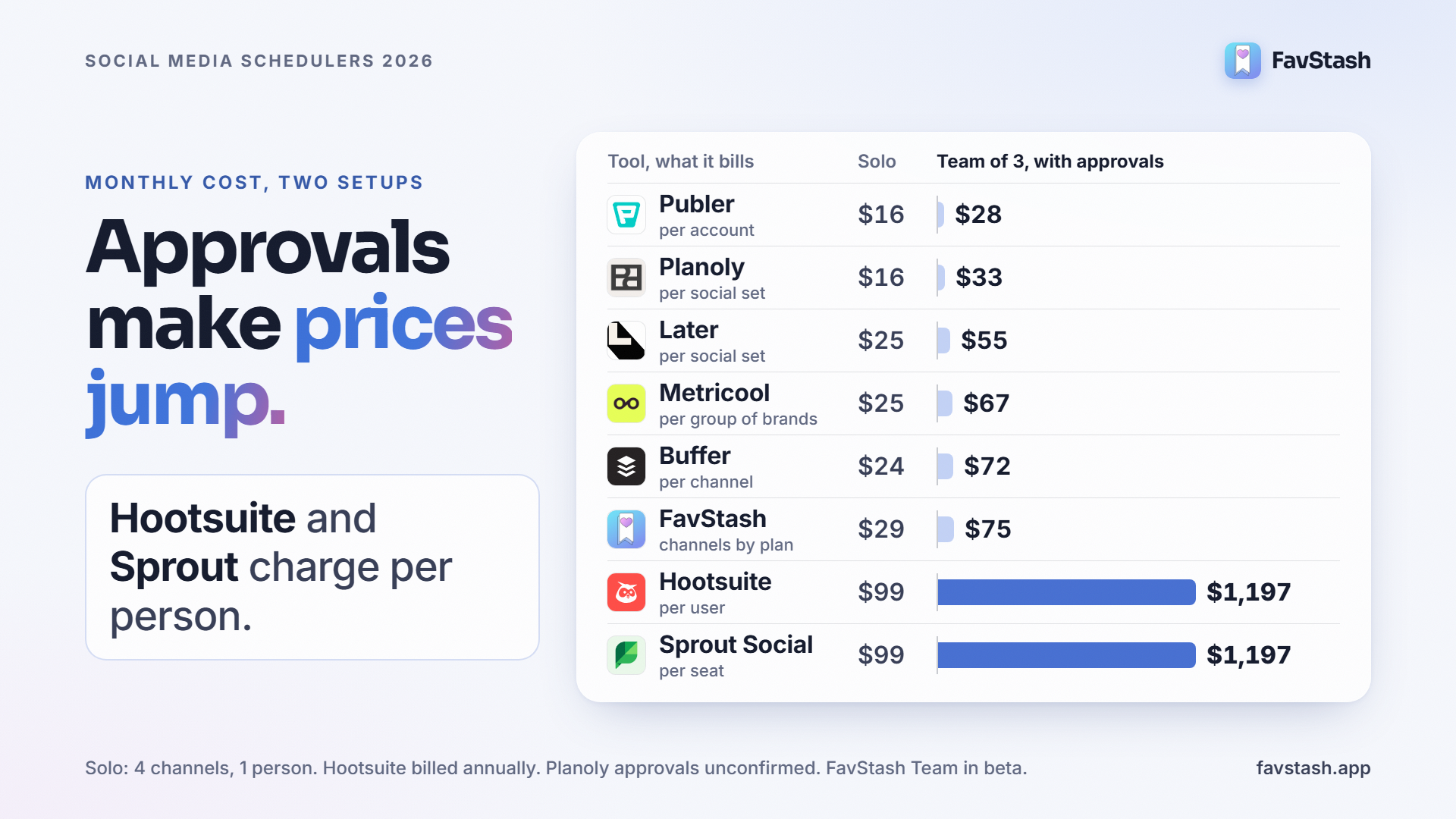
- Approvals are where prices jump. Three people with a review step pay about $1,197 a month on Hootsuite or Sprout Social. The same setup costs $28 to $75 on Publer, Later, Metricool, Buffer or FavStash.
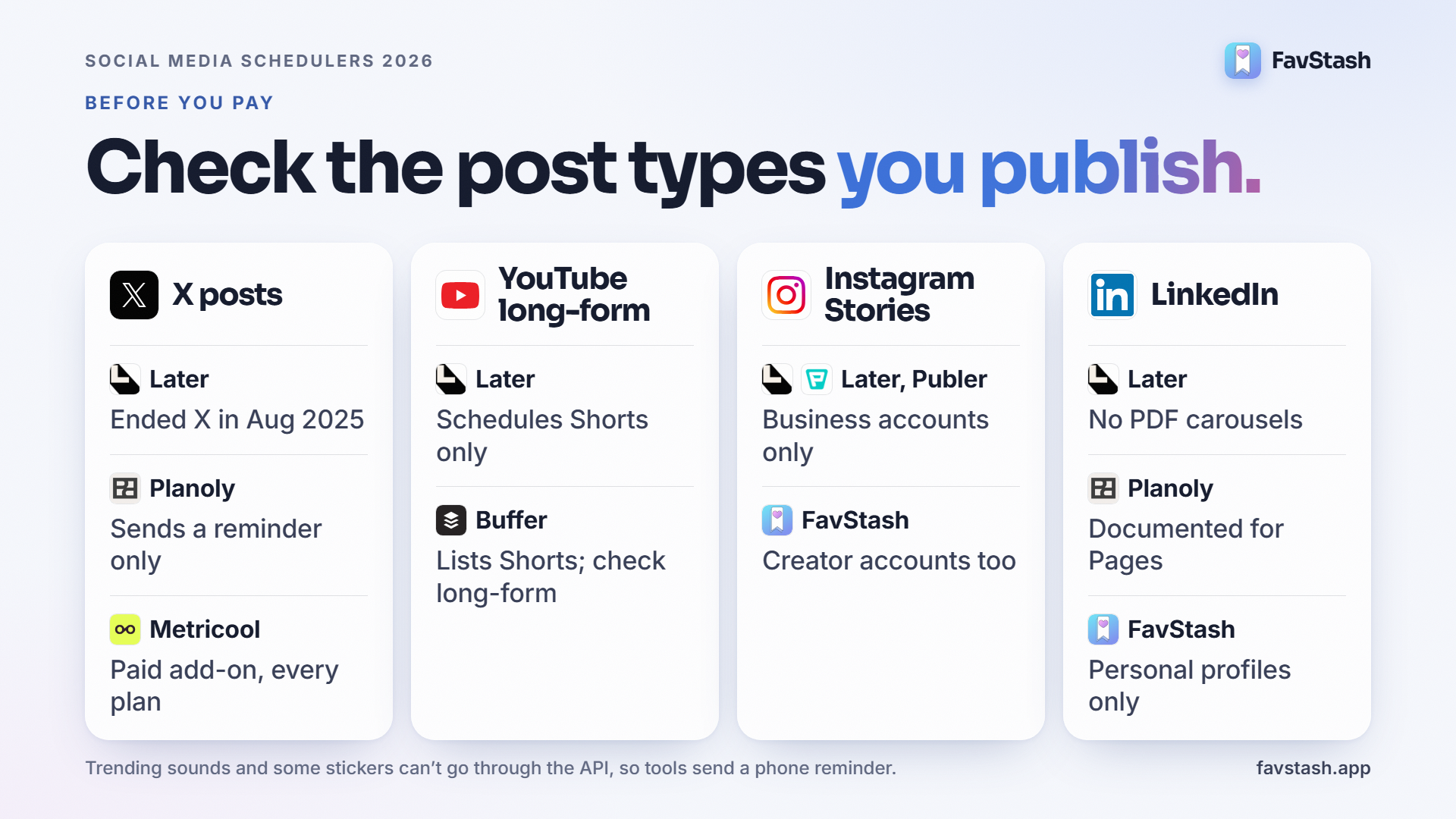
- Check the post types you publish. Later dropped X in 2025 and posts YouTube Shorts only. Planoly's X is reminder-only. Later and Publer auto-publish Instagram Stories for Business accounts only.
- Scheduling from Claude or ChatGPT is standard now. Buffer and Metricool include it on their free plans, so ask what the AI can see, not whether it exists.
- Free plans count different things. Buffer caps queued posts per channel, Metricool caps posts a month and skips LinkedIn and X, and Later, Hootsuite and Sprout have no free plan.
- Try it on next week's posts. Save a Reel and schedule it to every channel in FavStash. The free plan doesn't need a card.
The short answer#
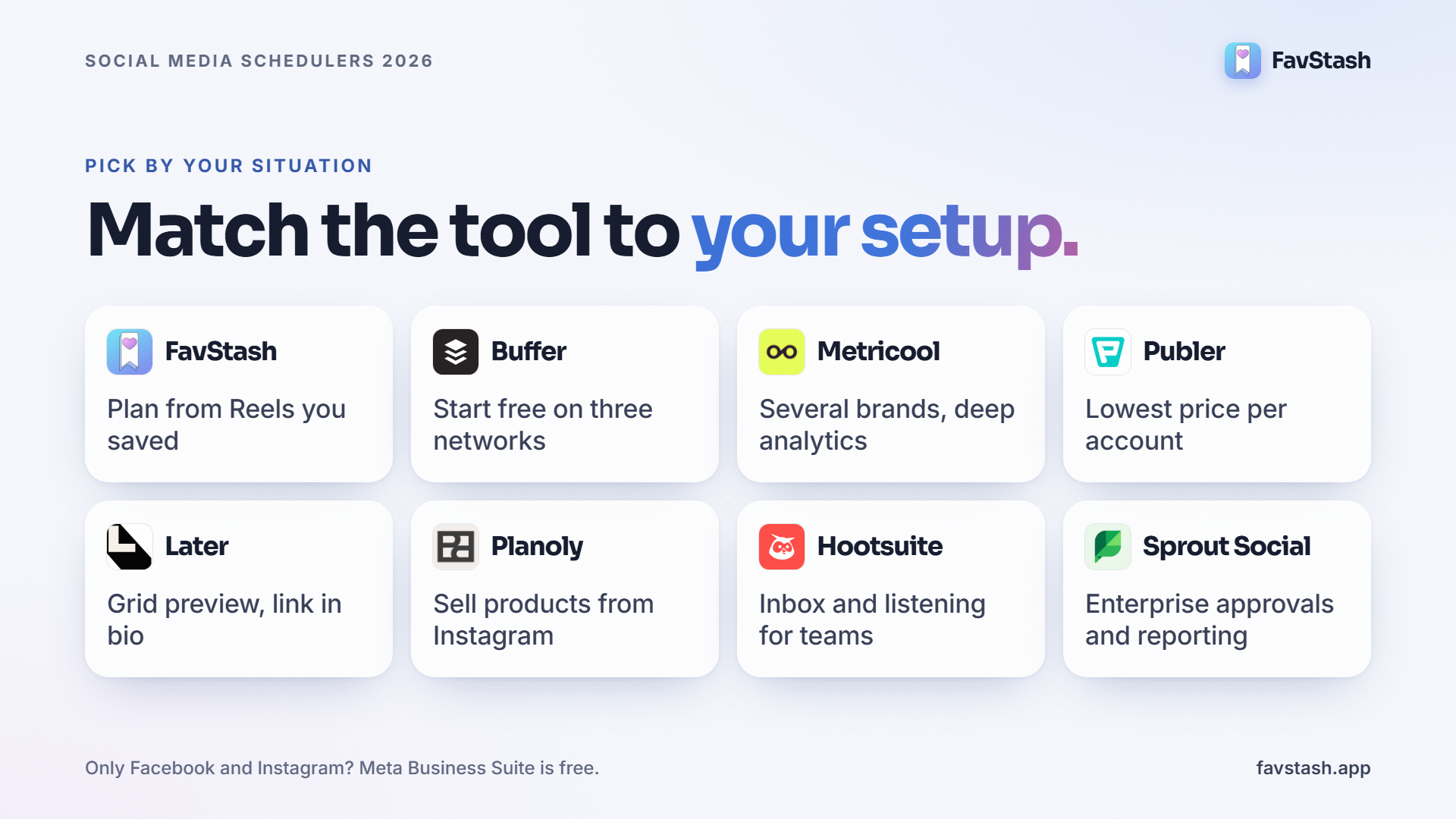
FavStash if you want saving, scheduling and analytics in one app. Buffer for the simplest per-channel scheduler. Metricool for analytics across several brands. Publer for the lowest price per account. Later and Planoly for visual Instagram planning. Hootsuite and Sprout Social for larger teams that need an inbox, listening and approvals. Solo creators should read the first price table below, small teams the second.
How we checked. We read every vendor's pricing page and help centre on 29 and 30 October 2026, switched each one between monthly and yearly billing, and ran Publer's price calculator at four and six accounts. Each price is linked in that tool's section. The two cost scenarios are list-price maths, not invoices, and we didn't run a month of posts through every tool. Where a vendor doesn't publish a number, we say so. User quotes come from Reddit, and we skipped replies written by tool founders. FavStash is our product, and we've noted where it loses, including on price.
Best social media scheduling tools at a glance#
| Tool | Best for | Networks | Free plan | Paid from (monthly) | Schedule from Claude or ChatGPT |
|---|---|---|---|---|---|
| FavStash | Saving ideas, scheduling and analytics in one app | Instagram, TikTok, YouTube, LinkedIn (personal), X | 1 channel, 4 posts/mo | $12.99 for 3 channels ($10.33 yearly) | Yes, every plan, and it can search your saved posts |
| Buffer | Simple scheduling on many networks | 12, incl. Threads, Bluesky, Pinterest, Google Business | 3 channels, 10 queued posts each | $6 per channel ($5 yearly) | Yes, every plan including Free |
| Metricool | Analytics and several brands on a budget | 10 incl. Google Business, plus X as a paid add-on | 1 brand, 20 posts/mo, no LinkedIn or X | $25 for up to 5 brands ($20 yearly) | Yes, every plan including Free |
| Publer | Lowest price per account, widest network list | 13 incl. Google Business, Telegram, WordPress | 3 accounts (no X), 10 scheduled posts each | $5 per account ($4 yearly) | Yes, on Business |
| Later | Visual Instagram and TikTok planning | 8; no X, no Bluesky, YouTube Shorts only | None, 14-day trial | $25 ($18.75 yearly) | No official connector found |
| Planoly | Grid planning plus a storefront | 8; X is reminder-only | Mobile only, 10 uploads/mo | $16 ($14 yearly) | Yes, scheduling works without a paid plan |
| Hootsuite | Large teams that need an inbox and listening | Every major network | None, 14-day trial | $99 per user, billed annually | Yes, every plan |
| Sprout Social | Enterprise approvals and reporting | The widest list here, incl. Reddit | None, 30-day trial | $99 per seat ($79 yearly) | ChatGPT only, reads TikTok data, can't schedule |
Sources: each vendor's pricing page and help centre, linked in its section below. Checked 29 and 30 October 2026. USD before tax.
What a social media scheduler does#
A social media scheduler lets you write a post once, pick the accounts and the time, and publish it automatically through each network's official API. Most add a content calendar, a queue of time slots, per-network previews and basic analytics, so you can plan a week in one sitting instead of posting live every day.
All eight tools here do that. They split on five things:
- What they bill for: channel, account, social set, brand or seat.
- Which post types they publish. Reels, Stories, carousels, YouTube long-form, LinkedIn PDF carousels and X threads are where they differ.
- Auto-publish or a reminder. Stories with stickers or TikToks with trending sounds can't go through the API, so the tool pings your phone and you post by hand.
- Team features. Approvals, roles and shared calendars usually sit on the second or third tier.
- Analytics and AI. How far back the numbers go, and what Claude or ChatGPT can read: your calendar, your analytics or your saved ideas.
What social media scheduling tools actually cost#
Pricing pages assume one channel and one person. Almost nobody works that way, so we priced every tool on two setups.
Solo creator: 4 channels, one person
Instagram, TikTok, YouTube and LinkedIn, about 30 posts a month, monthly billing:
| Tool | Monthly cost | What you get, and the catch |
|---|---|---|
| FavStash | $29 (Creator Pro; $23.17 billed yearly) | 10 channels, unlimited posts. Doom Scroller covers three channels for $12.99 |
| Buffer | $24 (Essentials, 4 × $6; $20 yearly) | Unlimited scheduled posts, first comment, analytics |
| Metricool | $25 (Starter; $20 yearly) | Up to 5 brands. The free plan won't connect LinkedIn |
| Publer | $16 (Professional, 4 accounts; $12.80 yearly) | Analytics, best times and MCP need Business: $28 |
| Later | $25 (Starter; $18.75 yearly) | 30 posts per profile a month, YouTube Shorts only |
| Planoly | $16 (Starter; $14 yearly) | LinkedIn auto-post is documented for Pages, so check before relying on a personal profile |
| Hootsuite | $99 (Standard, per user, billed annually) | 10 accounts, inbox, listening. No monthly price published |
| Sprout Social | $99 (Essentials, per seat; $79 yearly) | 5 profiles, calendar, optimal send times |
For one person on four channels, Publer and Planoly are the cheapest. FavStash isn't. You'd pay for it because the saving and searching side is why you're there.
Small team: 3 people, 6 accounts, approvals required
Two brands, each on Instagram, TikTok and YouTube, and every post needs a second person to approve it. Monthly billing:
| Tool | Monthly cost | How it adds up |
|---|---|---|
| FavStash | $75 (Team, $25 × 3 seats, billed $900 yearly) | Shared Stash, team calendar, post approvals. Private beta |
| Buffer | $72 (Team, 6 × $12; $60 yearly) | Unlimited team members, approval workflows |
| Metricool | $67 (Advanced; $53 yearly) | Approvals and roles start here, up to 15 brands |
| Publer | $28 (Professional, 6 accounts + 2 members; $22.40 yearly) | $48 on Business for analytics and MCP |
| Later | $55 (Growth, 2 social sets + 1 extra user at $5; $41.25 yearly) | Approvals start on Growth. YouTube Shorts only |
| Planoly | $33 (Growth + 1 extra user at $5) | Approvals aren't confirmed on its pricing page |
| Hootsuite | $1,197 (Advanced, 3 × $399, billed annually) | Approvals start on Advanced |
| Sprout Social | $1,197 (Professional, 3 × $399; $897 yearly) | Bulk scheduling and approvals start on Professional |
Call it the approval tax. Hootsuite and Sprout charge per person and keep approvals on higher tiers, so a small team with a review step pays more than ten times what the per-channel tools charge. You do get a shared inbox, listening and reporting for that money. If you won't use them, it's a lot to spend on a review button.
Pro tip: yearly billing saves roughly 15 to 25% on most of these tools and locks you in for twelve months. Pay monthly for the first month, make sure the tool posts what you need, then switch.
What the free plans really include#
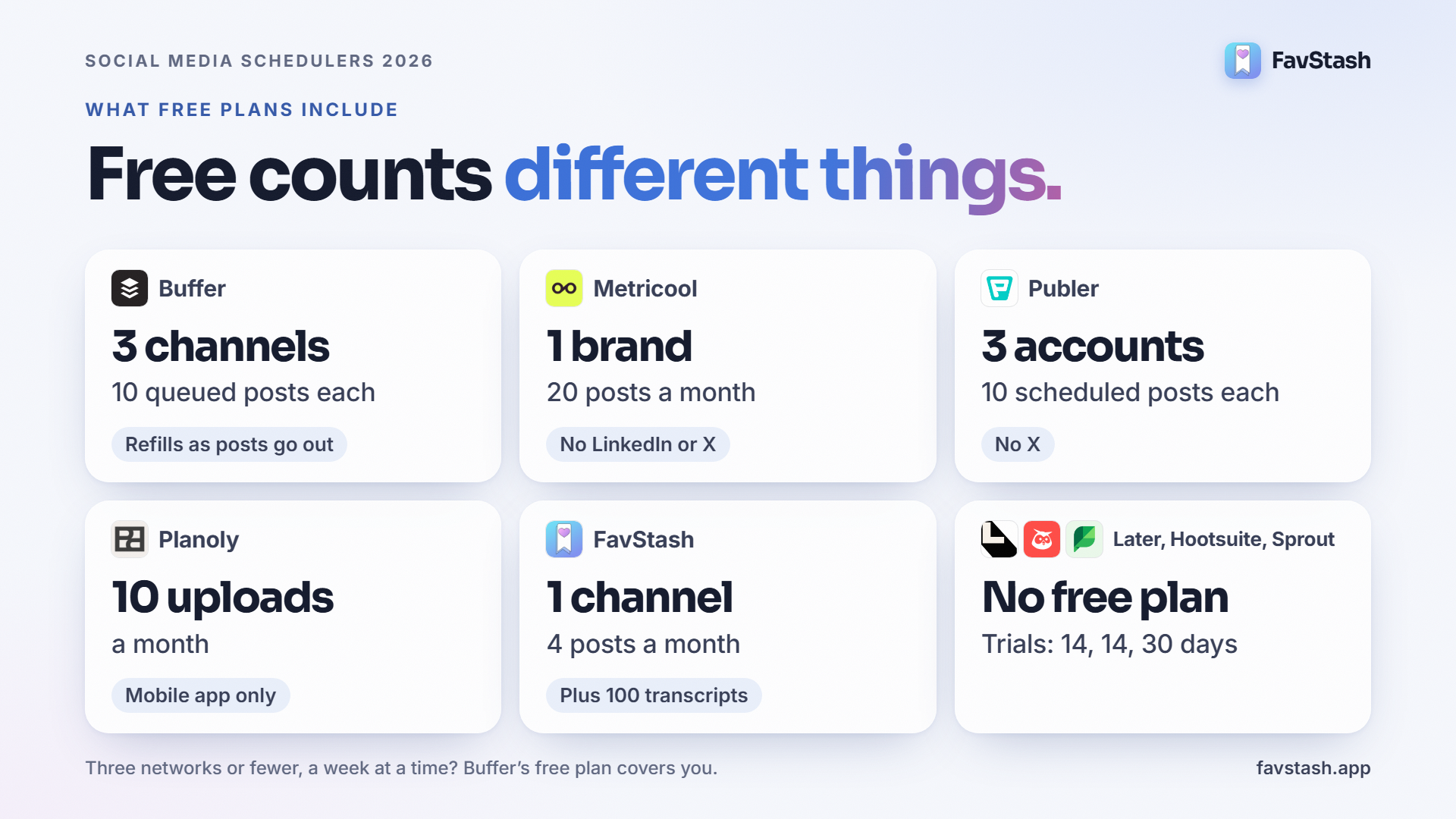
"Free" means very different amounts of posting:
| Tool | What the free plan counts | The catch |
|---|---|---|
| FavStash | 1 channel, 4 posts a month | Also 100 transcripts with AI summaries and 7 days of analytics |
| Buffer | 3 channels, 10 queued posts per channel | Refills as posts go out; 1 user |
| Metricool | 1 brand, 20 posts a month | No LinkedIn or X; 30 days of analytics |
| Publer | 3 accounts, 10 scheduled posts per account | No X; post history kept for 24 hours |
| Planoly | 10 uploads a month | Mobile app only |
| Later, Hootsuite, Sprout Social | No free plan | Trials of 14, 14 and 30 days |
A Reddit user who ran YouTube, TikTok and Instagram from Planable loved it right up until the free posts ran out and the bill was $33. Know which limit you'll hit first.
Decision rule: three networks or fewer, queued a week at a time? Buffer's free plan covers you. More than 20 posts a month to one brand without LinkedIn? Use Metricool's. Only Facebook and Instagram? Meta Business Suite costs nothing.
The 8 best social media scheduling tools#
1. FavStash: best for saving ideas, scheduling and analytics in one app
FavStash saves the Reels, TikToks and Shorts you find, schedules your own posts to Instagram, TikTok, YouTube, LinkedIn and X from one calendar, and shows which ones worked. It's the only tool here that starts before the post exists.
What's good about it.
- Your saves are searchable. Save a Reel from the share sheet and FavStash keeps its transcript, hook and summary, so you can search your saves by what was said. Ask Claude or ChatGPT to turn five saved hooks into posts in your voice, and it drafts and schedules them once you approve.
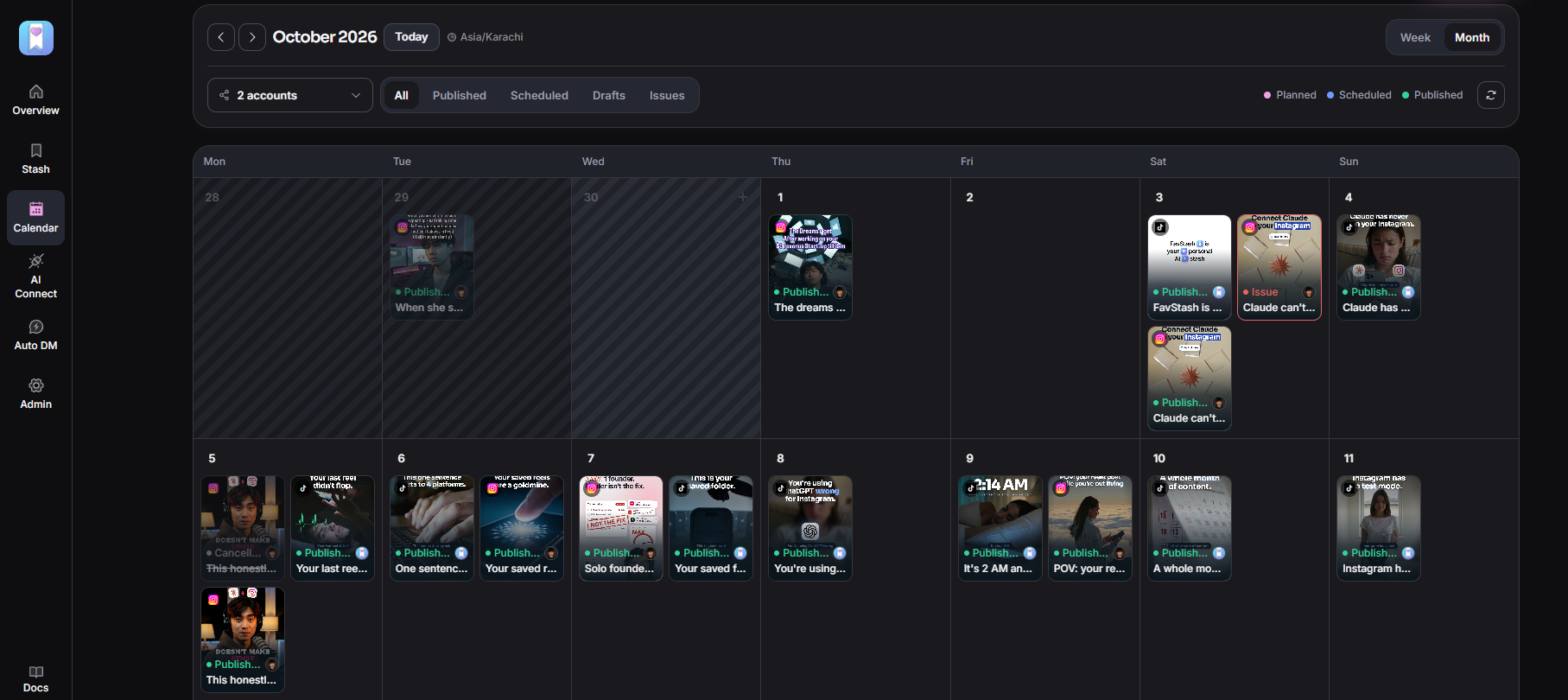
- One post, every channel. One composer, with per-platform settings for visibility, privacy and labels, and automatic retries if a send fails. Stories and carousels auto-publish on Instagram Creator accounts as well as Business, and LinkedIn PDFs post as native carousels. Here's what FavStash can schedule on each platform.
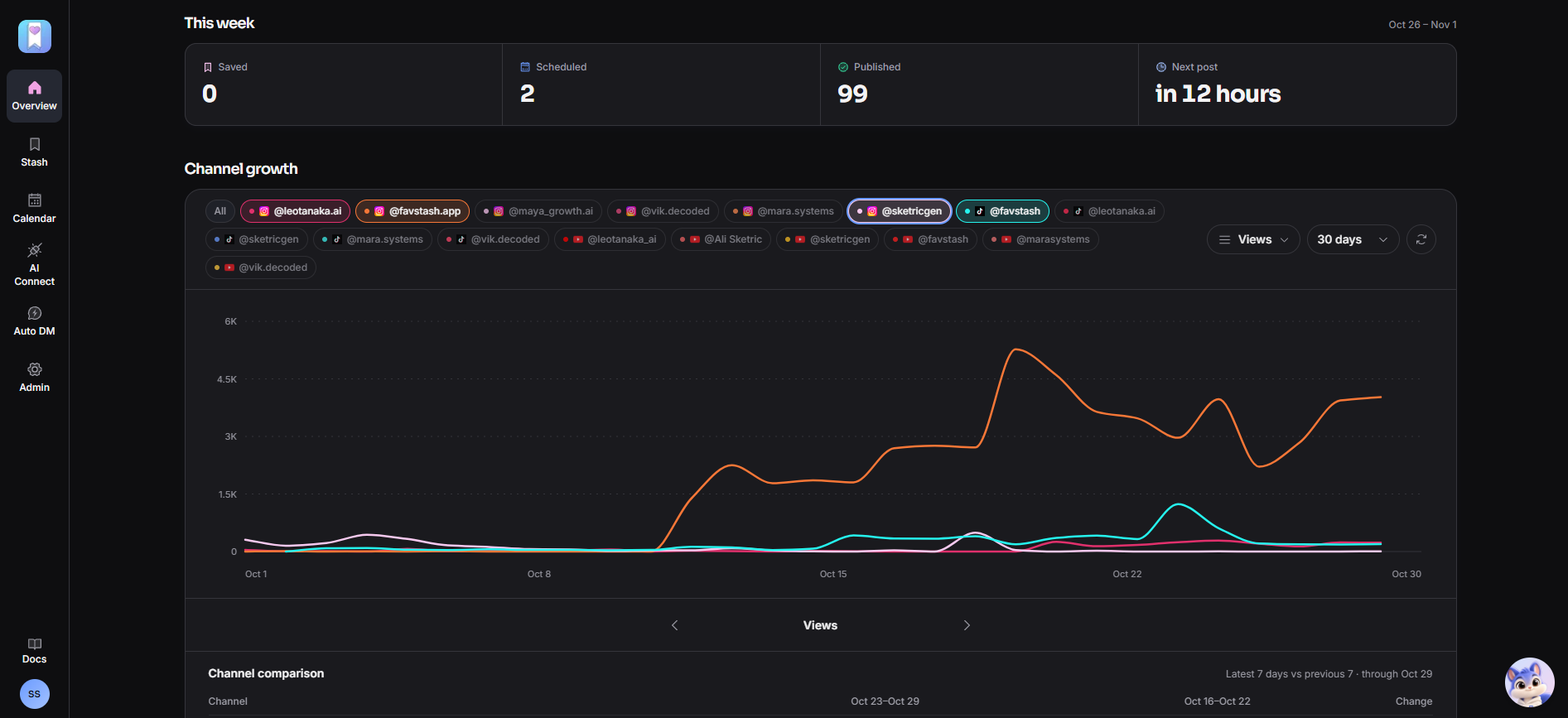
- One view of what worked. Cross-platform analytics rank your posts from Instagram, TikTok, YouTube and X by whichever metric you pick.
Price. Free: 1 channel, 4 posts a month. Doom Scroller: $12.99 a month ($10.33 yearly) for 3 channels and 50 posts. Creator Pro: $29 a month ($23.17 yearly) for 10 channels and unlimited posts. Team: $25 a seat, 3-seat minimum, in private beta. X posts use a monthly allowance on paid plans. See FavStash pricing.
Where it falls short. Five networks, with LinkedIn limited to personal profiles and no LinkedIn analytics. No X threads, first comment, bulk upload, best-time suggestions or link in bio. It's also the newest tool on this list.
Pick it if deciding what to post is your real bottleneck and you'd rather save, plan, post and measure in one app.
2. Buffer: best for simple scheduling and a usable free plan
Buffer is one of the oldest schedulers around, built on a queue of time slots per channel.
What's good about it. It's quick to learn, covers 12 networks including Threads, Bluesky, Pinterest, Google Business and Substack, and charges only for the channels you connect. Paid plans add first comments, a hashtag manager and analytics. Its MCP server works on every plan, Free included.
Price. Buffer pricing: Free for 3 channels with 10 queued posts each. Essentials $6 per channel a month ($5 yearly). Team $12 per channel ($10 yearly), with unlimited members and approvals.
Where it falls short. Per-channel pricing adds up past eight or nine channels, and the analytics are lighter than Metricool's. Buffer lists YouTube Shorts, so confirm long-form support if you need it.
Pick it if you want to be scheduling in ten minutes. Our FavStash vs Buffer comparison covers where the two differ.
3. Metricool: best for analytics and several brands on a budget
Metricool prices by groups of brands, and one brand includes all of its networks.
What's good about it. One Starter plan covers up to five brands, with unlimited analytics history, competitor tracking, PDF and poll scheduling, recurring posts and Canva. A social media manager running three brands on it liked the per-platform presets, like YouTube's title, tags and playlist sitting right in the scheduler. MCP works on every plan.
Price. Metricool pricing: Free for 1 brand and 20 posts a month. Starter $25 a month ($20 yearly) for up to 5 brands, $45 ($36) for up to 10. Advanced $67 ($53 yearly) adds team roles and approvals.
Where it falls short. X is a paid add-on on every plan, and Free won't connect LinkedIn. "Unlimited" publishing comes with a fair-use policy.
Pick it if you run several small brands and care more about the numbers than the calendar. Our Metricool vs Buffer pricing breakdown goes deeper.
4. Publer: best for the lowest price per account
Publer charges per social account and supports more networks than anything else here.
What's good about it. Thirteen networks, including Google Business, Telegram, Mastodon and WordPress. Threads for X, Threads, Bluesky and Mastodon, YouTube long-form, LinkedIn PDFs, and bulk scheduling of up to 500 posts from a CSV. Business adds post recycling and an MCP for Claude and ChatGPT.
Price. Publer plans: Free for 3 accounts (not X) with 10 scheduled posts each. Professional from $5 per account a month ($4 yearly), so $16 for four. Business from $10 per account, $28 for four. Extra members cost $2 to $3 a month each.
Where it falls short. Analytics, best times and the MCP are Business-only, and paid plans still have daily posting limits. Stories auto-publish for Business accounts only, and TikToks posted directly can't use a TikTok sound.
Pick it if price per account matters most, or you need a network the others skip.
5. Later: best for visual Instagram and TikTok planning
Later is a visual planner for Instagram and TikTok that now puts influencer marketing first on its homepage.
What's good about it. A drag-and-drop calendar, best-time suggestions, Reels audio and a link-in-bio page on every plan. If a post type can't go through the API, it sends a phone notification instead.
Price. Later pricing: Starter $25 a month ($18.75 yearly) for 1 social set and 30 posts per profile a month. Growth $50 ($37.50) for 2 sets, 2 users and approvals. Scale $110 ($82.50). No free plan.
Where it falls short. Later ended X support on 28 August 2025, schedules YouTube Shorts only and can't schedule LinkedIn PDFs. Posts count against your limit when scheduled, not when published. Stories auto-publish for Business profiles only, and we found no official Claude or ChatGPT connector.
Pick it if you're Instagram and TikTok first, want link in bio, and don't post to X.
6. Planoly: best for grid planning plus a storefront
Planoly began as an Instagram grid planner and now adds a storefront and DM automation.
What's good about it. The grid planner, a trend calendar, link in bio with a Creator Store, first comments, and auto-posting to YouTube (long-form and Shorts), TikTok, Pinterest and Threads. Its MCP connector drafts and schedules from Claude or ChatGPT without a paid plan.
Price. Planoly pricing: Starter $16 a month ($14 yearly) for 1 social set. Growth $28 ($24) for 2 sets and 2 users. Pro $55 ($47) for 6 sets. Free is mobile-only, 10 uploads a month.
Where it falls short. X only sends a reminder. Stories auto-post one item at a time and carousels cap at 10. No Bluesky or Google Business.
Pick it if you sell through Instagram and want the feed, store and schedule together.
7. Hootsuite: best for large teams that need an inbox and listening
Hootsuite is a full suite (publishing, a shared inbox, listening and reporting) with an AI assistant called Wisdom on every plan.
What's good about it. Bulk scheduling of up to 350 posts, best-time recommendations, Reels, Stories and carousels, and an inbox on every plan. Its MCP servers connect publishing, the inbox and listening to Claude, ChatGPT, Gemini and Copilot.
Price. Hootsuite plans, per user per month, billed annually: Standard $99 (10 accounts), Professional $199 (unlimited accounts), Advanced $399 (approvals). 14-day trial.
Where it falls short. Price. With approvals on Advanced, three people with a review step pay about $1,197 a month. A small-team marketer on Reddit found Hootsuite, Buffer and Sprout too expensive and moved to a cheaper tool.
Pick it if customer care and listening run from the same tool as publishing. If you mostly schedule, see our FavStash vs Hootsuite comparison.
8. Sprout Social: best for enterprise approvals and reporting
Sprout Social is built for mid-size and large teams that report on social and need an inbox on every seat.
What's good about it. The widest network list here, including Reddit, Google Business, Bluesky and Snapchat, plus LinkedIn PDFs, first comments and strong reporting. Every plan has a shared calendar and optimal send times.
Price. Sprout pricing, per seat per month: Essentials $99 ($79 yearly) for 5 profiles, Standard $249 ($199), Professional $399 ($299) with bulk scheduling and approvals, Advanced $499 ($399) with the API. 30-day trial.
Where it falls short. Per-seat pricing, and no X threads. Its ChatGPT connection reads TikTok data only and can't schedule.
Pick it if you report to leadership and need approvals across a larger team.
Pick by your situation#
| If you… | Pick |
|---|---|
| Want ideas, scheduling and analytics in one app | FavStash |
| Want to start free on three networks | Buffer |
| Run several small brands and care about analytics | Metricool |
| Want the lowest price per account, or need Google Business or Telegram | Publer |
| Plan an Instagram grid and want link in bio | Later or Planoly |
| Sell products from Instagram | Planoly |
| Need an inbox and listening for a larger team | Hootsuite |
| Need enterprise approvals and reporting | Sprout Social |
| Only post to Facebook and Instagram | Meta Business Suite (free) |
Buffer or Hootsuite? Buffer, for most creators and small teams: $6 per channel against $99 per user, with approvals on its Team plan. Hootsuite earns its price when you'll use the inbox, listening and reporting too.
What practitioners are saying#
Reliability matters more than features. In a 212-comment r/SocialMediaManagers thread, one manager wrote about a Valentine's week in Plann: "I had a whole week's worth of scheduling for Valentine's Day across all boards, and half of it showed up." Another said the hidden cost is reconnecting profiles and fixing failed posts, and that switching tools later means reconnecting every account.
Price drives most switches. Among the non-vendor replies that named a winner, Metricool came up most, usually for its pricing.
Ideas are the hard part. Scheduling only helps once you know what to post. A marketer on r/AskMarketing described the usual planning session: "Then I sit down to plan content and suddenly my brain forgets every idea I've ever had." One reply keeps a running note of ideas because they show up while working or scrolling, never at planning time. Another only plans seven to ten days ahead, so the calendar cuts decisions instead of becoming a second job.
A note on sourcing: about half the replies in the biggest Reddit thread on this were posted by scheduler founders, and the top Quora answers are mostly vendor promotion. We left all of those out.
Common mistakes when choosing a scheduler#
- Pricing one channel. Count every account you'll connect and everyone who'll log in.
- Skipping the post types check. YouTube long-form, X threads, LinkedIn PDFs and Stories from Creator accounts are where tools quietly differ. Check each one on the vendor's help pages.
- Buying a suite you won't open. Listening and an enterprise inbox are worth $399 a seat to some teams. Most creators need a calendar, a queue and analytics.
- Treating the free plan as a trial. Free plans often drop a network or cap posts in a way you'll hit by week two.
- Planning eight weeks out. Fill the next week or so and keep a backlog of evergreen ideas for slow weeks.
- Forgetting the switching cost. Moving means reconnecting every account and rebuilding your queue, so test on one or two channels first.
Pro tip: before you sign up for anything, list the post types you published last month. That list rules out more tools than any feature grid.
What FavStash won't do, and what to use instead#
- Facebook, Pinterest, Threads, Bluesky or Google Business: Buffer or Publer.
- LinkedIn company pages: Buffer, Publer or Sprout Social.
- X threads, bulk CSV upload or post recycling: Publer.
- Best-time suggestions: Metricool, Later or Hootsuite.
- Instagram grid preview and link in bio: Later or Planoly.
- A shared inbox or listening: Hootsuite or Sprout Social. FavStash lists comment-to-DM as coming soon, but there's no inbox.
Plenty of people run two tools. If Hootsuite runs your inbox or Later runs your grid, FavStash can still hold your saved ideas and tell you which posts worked.
Author's take#
I'd pick the scheduler last. Scheduling itself is close to identical across these eight, and even "schedule it from Claude" is free on Buffer and Metricool now. The differences are what each tool bills for, which post types it drops, and whether it helps you decide what to post at all.
Here's my rule. Count your channels and seats, price that on monthly billing, and check the post types you actually publish. That usually leaves two or three tools. Then pick the one closest to where your ideas live. For a lot of creators, that's a pile of Reels saved at 11pm and forgotten by Monday.
The marketer who forgot every idea at planning time didn't have a scheduling problem. They had a memory problem. Fix that, and almost any tool on this list will post your week for you.
Start with the ideas you already saved#
Pick a scheduler from the tables above. Then try one thing on whichever you choose: save five Reels you liked this week and ask Claude or ChatGPT what their hooks have in common. If you want that step and the scheduling in one place, start with FavStash on the free plan, no card needed.