Metricool vs Buffer (2026): Which One Fits Creators, and Alternatives
Metricool vs Buffer priced at 1, 3 and 10 channels from their live pricing pages, plus analytics, publishing, AI, Reddit verdicts and when neither fits. Alternatives for Social media management.
https://www.linkedin.com/in/samm007 · · 13 min read
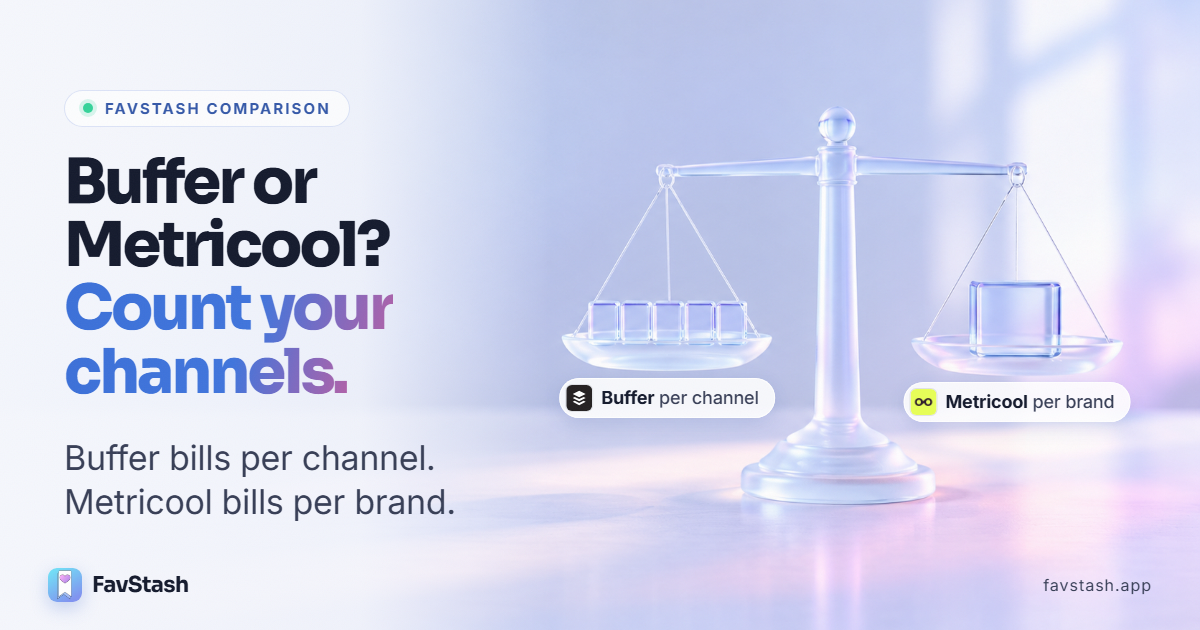
Metricool vs Buffer mostly comes down to how you count your accounts. Buffer charges per channel, $6 a month each. Metricool charges per brand, and one brand holds one profile on every network, so a creator on Instagram, TikTok and YouTube pays the same $25 as a creator on Instagram alone. Buffer is cheaper up to four channels.
Metricool & Buffer maybe two of the best options available for consumers but undoubtedly they have some obvious drawbacks and if you are someone facing those drawbacks this blog is the perfect fit for you.
We checked both pricing pages and priced 1, 3 and 10 channels, plus our own 17-channel setup. We also read the Reddit threads Google cites for this search.
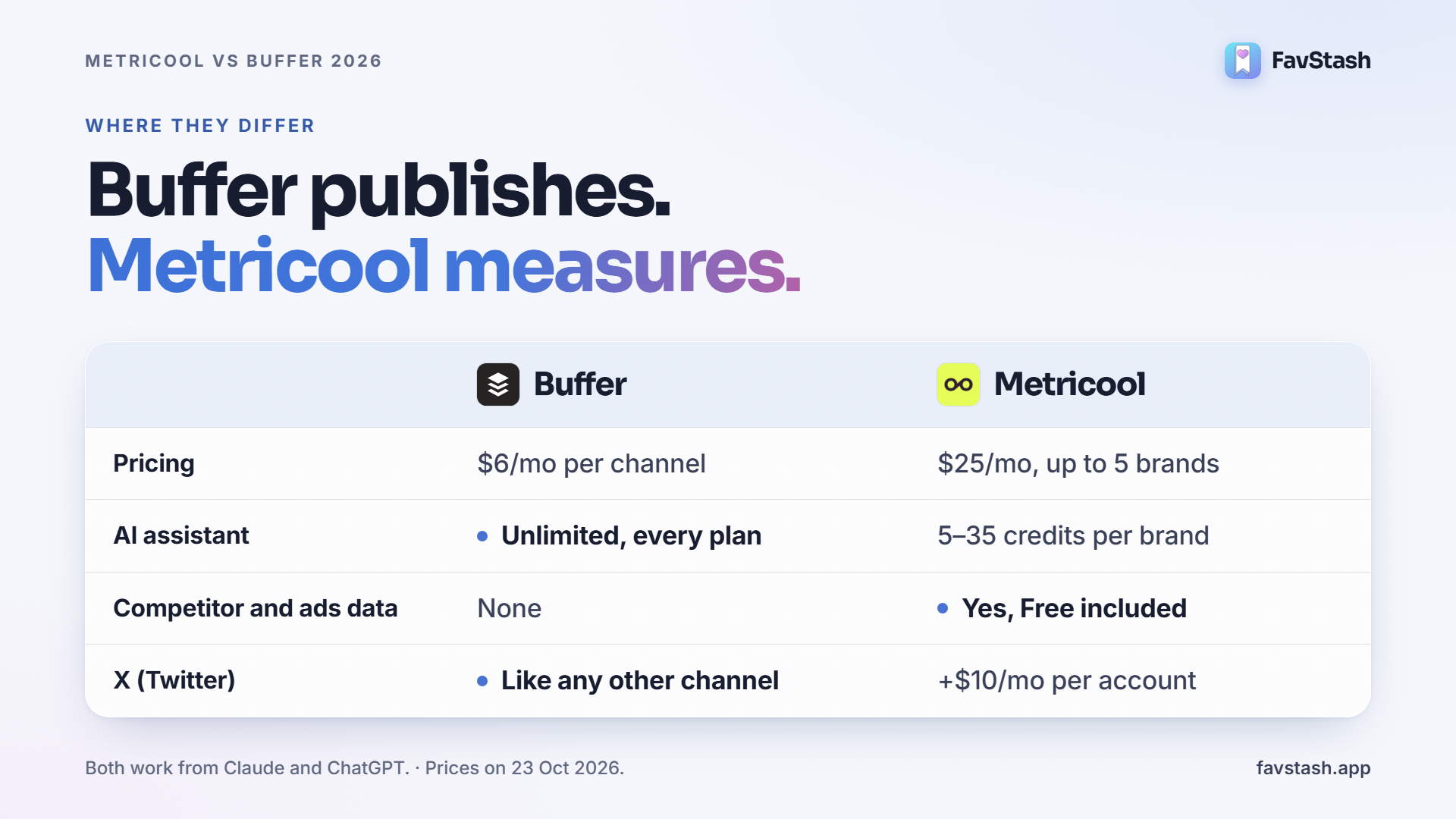
Metricool vs Buffer at a glance#
| Feature | Buffer | Metricool |
|---|---|---|
| Built for | Fast publishing and replying to comments | Analytics, reports, competitor and ads data |
| Pricing model | Per channel: $6/mo each ($5 billed yearly) | Per brand: Starter $25/mo for up to 5 brands ($20 yearly) |
| Free plan | 3 channels, 10 queued posts per channel at a time | 1 brand, 20 posts a month, no LinkedIn or X |
| X (Twitter) | Priced like any other channel | $10/mo add-on per X account, paid plans only |
| Networks | 12, including Threads, Bluesky, Mastodon and Substack | 11, including Twitch, plus website analytics |
| Scheduling | Queue with time slots, calendar, browser extension | Calendar, best-time heatmaps, recurring "autolists" |
| Comments and DMs | Comment replies, no DMs | Inbox for comments and messages |
| Competitor tracking | None | 5 profiles on Free, 100 on paid plans |
| Ads data | None | Meta, Google and TikTok Ads, Free included |
| AI assistant | Unlimited on every plan | 5, 20 or 35 credits per brand a month (Free, Starter, Advanced) |
| API | Every plan, including Free | Advanced plan and up |
| Works from Claude or ChatGPT | Yes, through Buffer's MCP and API | Yes, through the Metricool MCP, Free included |
Sources: Buffer pricing and Metricool pricing, checked 23 October 2026. Prices are USD before tax.
Key Points#
- Count brands, not channels. A Metricool brand is one profile on each network. Buffer bills every profile.
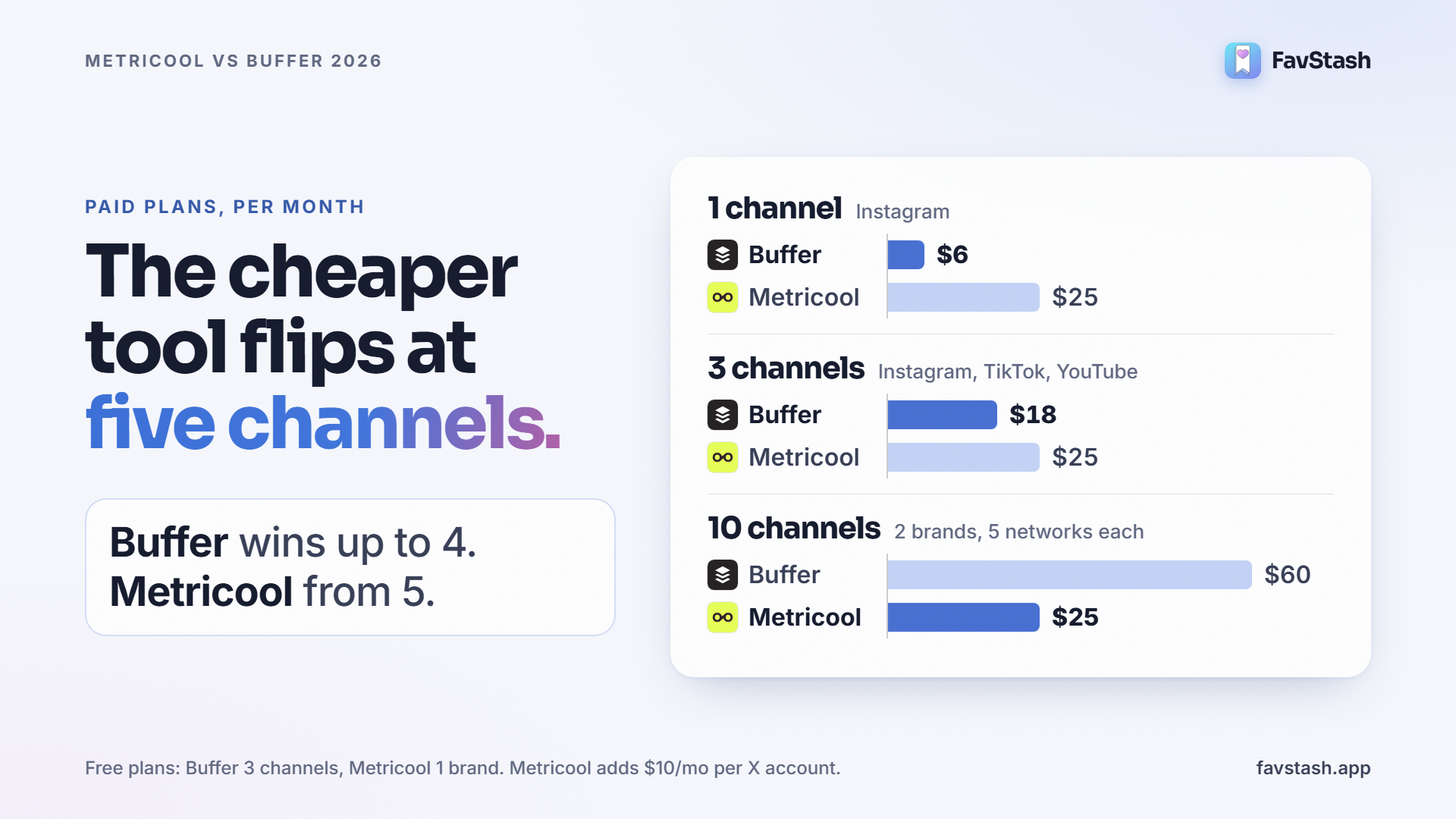
- Buffer wins at 1 to 4 channels. Its free plan covers 3 channels, and Essentials is $6 per channel.
- Metricool wins from about 5 channels per brand, unless you add several X accounts at $10 each.
- Metricool wins on analytics: competitors, ads, unlimited history on paid plans and client reports.
- Both now work from Claude and ChatGPT. AI access is no longer a tiebreaker.
Pricing at 1, 3 and 10 channels#
Here is what one person pays for their own accounts, on monthly billing. Yearly billing takes about 17% off Buffer and about 20% off Metricool Starter.
| Setup | Buffer | Metricool |
|---|---|---|
| 1 channel (Instagram) | $0 on Free, or $6 on Essentials | $0 on Free, or $25 on Starter |
| 3 channels (Instagram, TikTok, YouTube) | $0 on Free, or $18 on Essentials | $0 on Free (it is one brand), or $25 on Starter |
| 10 channels (2 brands on 5 networks each) | $60 on Essentials, $120 on Team | $25 on Starter |
| 10 separate Instagram accounts | $60 on Essentials | $45 on Starter (10 brands) |
| Add one X account | +$6, it is just another channel | +$10, and X is not available on Free |
The free plans are closer than they look. Metricool Free covers every network in one brand except LinkedIn and X, but caps you at 20 posts a month in total. Buffer Free caps the queue at 10 posts per channel at any one time, then refills as posts go out. If you post daily on three networks, Buffer Free keeps up and Metricool Free runs out in the first week.
The X add-on is the hidden cost. Metricool charges $10 a month for each connected X account, on top of the plan. Buffer's own comparison works this out for four channels: $24 a month on Buffer against $35 on Metricool once X is one of them.
Real example: our own 17 channels
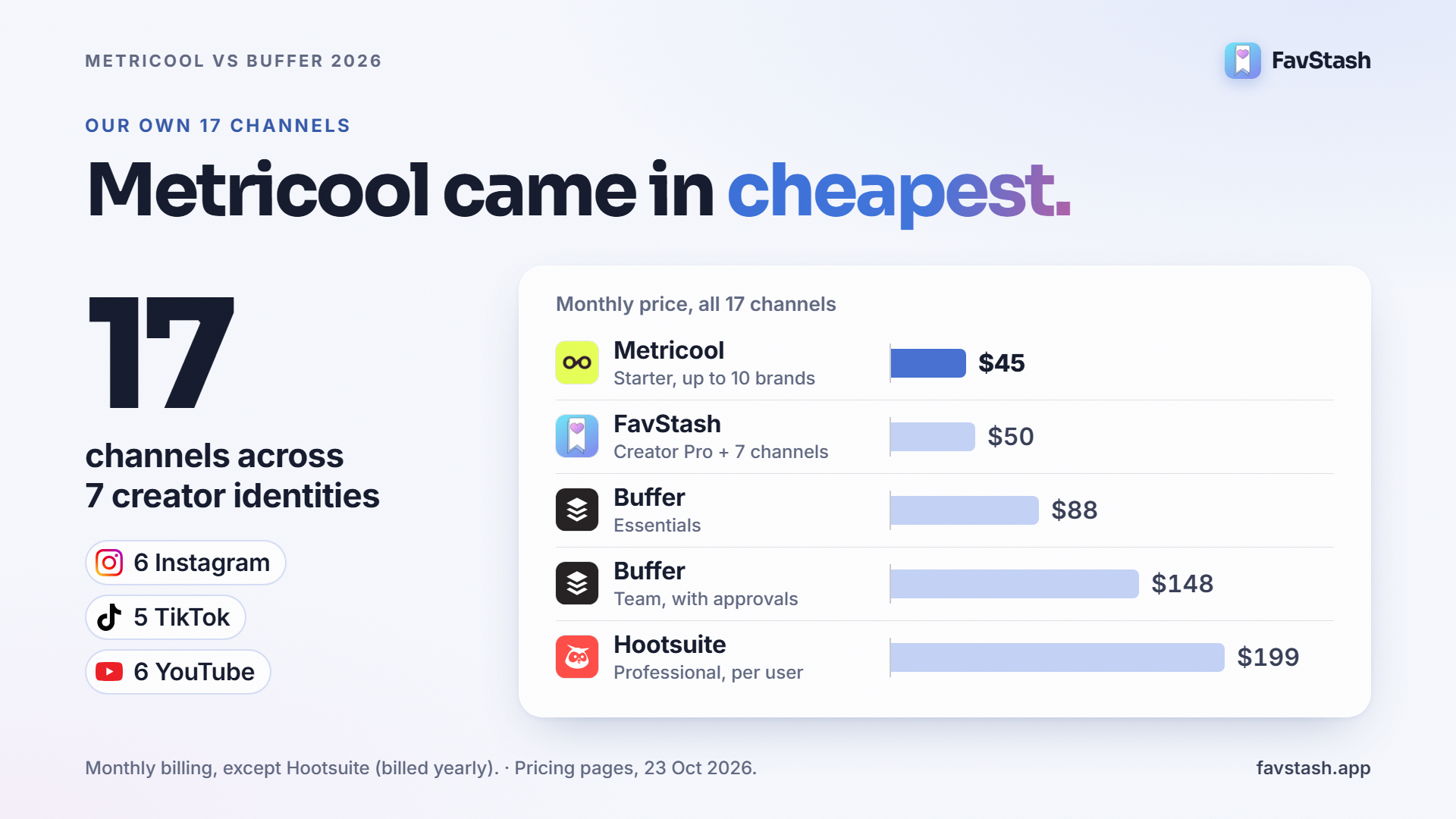
We run 17 channels: 6 Instagram, 5 TikTok and 6 YouTube accounts across 7 creator identities, with 287 posts on the calendar so far this month. Neither free plan fits that.
| Tool | Plan that fits | Monthly price |
|---|---|---|
| Buffer | Essentials, 10 channels at $6 plus 7 at $4 | $88 |
| Buffer (with approvals) | Team | $148 |
| Metricool | Starter, up to 10 brands | $45 |
| Hootsuite | Professional (Standard stops at 10 accounts) | $199 per user, billed yearly |
Pro tip: before you compare features, write down two numbers: how many brands you run and how many profiles each one has. That pair picks the cheaper tool for you. If Buffer's per-channel bill is what sent you looking, our Buffer alternative breakdown prices it against FavStash at the same channel counts.
Analytics: Metricool is the deeper tool#
Metricool is an analytics product that also schedules. Buffer is a publishing product that also reports. Buffer's own comparison says much the same: Buffer is faster for day-to-day decisions, and Metricool is more flexible for monthly reports with competitor benchmarks (Buffer vs Metricool, Shivani Shah, updated 8 October 2026).
| Analytics | Buffer | Metricool |
|---|---|---|
| History | 30 days on Free, unlimited on paid | 30 days on Free, unlimited on paid (X keeps 30 days) |
| Reports | Reports on Essentials, branded reports on Team | PDF and PPT reports, monthly automated sending, custom templates on Advanced |
| Competitors | None | 5 profiles on Free, 100 on paid |
| Ads | None | Meta, Google and TikTok Ads |
| Extras | UTM parameters, AI takeaways | Hashtag analysis, website analytics, Looker Studio connector on Advanced |
Who needs Metricool's depth: freelancers and agencies sending client reports, anyone running paid ads next to organic posts, and anyone who benchmarks against rivals. If you only check which post did best last week, Buffer's analytics are enough.
Publishing: Buffer is the faster scheduler#
Buffer is built around the queue. You set time slots per channel, add posts, and Buffer fills the slots. The browser extension and mobile app make it quick to queue a post from anywhere. Paid plans add first-comment scheduling and a hashtag manager.
Metricool is built around the calendar. You pick a slot on a calendar that shows your best posting times as a heatmap. Autolists repost evergreen content on a schedule, and on paid plans Flows turn comments into DMs, at no extra cost for now. Post approvals need the Advanced plan, at $67 a month.
Reliability reports are mixed. One Metricool user on r/DigitalMarketing said the calendar sometimes skipped a day or swapped two posts. That is one report, not a pattern we could confirm. Either way, run a new scheduler alongside your old setup for a week before you switch.
AI assistants, Claude and ChatGPT#
Buffer's AI assistant is unlimited on every plan, Free included, for drafting, rewriting and repurposing. Metricool's runs on credits: 5 per brand a month on Free, 20 on Starter and 35 on Advanced.
Both tools now work from Claude and ChatGPT. Metricool includes its MCP (the protocol that lets an AI assistant use an app) on every plan, Free included. Buffer's MCP is in Claude's connector directory, and its API is open on every plan. Real users already work this way. On the thread Google cites, one creator picked Metricool because "it integrates with Claude which I now use to manage all of my post scheduling". Another runs an AI social agent on Buffer's free plan and free API.
So don't pick on "has AI". Both have it. The useful question is what the AI can see. Both expose your queue, your posts and your numbers.
What Reddit users say about Metricool vs Buffer#
The thread Google features, Thoughts on Metricool vs Buffer? on r/SocialMediaManagers, has 26 comments. At least five come from founders of competing schedulers (OneUp, SocialBu, Nuelink, Pallyy and Schedchie). Set those aside and four themes remain.
- Same split as the feature tables. A user who has run both said "Metricool feels more like a marketing analytics platform", while Buffer is the better pure scheduler. Their rule: Buffer for a few accounts, Metricool for client work.
- Metricool's price creeps with brands. Another commenter picked Buffer, saying useful Metricool features sit behind higher plans and costs add up as you manage more brands.
- Pricing shape decides it. A founder of a rival tool (disclosed in the thread) made the same point we did: per brand versus per channel decides which is cheaper.
- Metricool's fans stay for value and support. On r/DigitalMarketing, a long-time user moved all their work to Metricool for the price, fast feature releases and human support.
Metricool vs Buffer vs Hootsuite#
If you searched metricool vs hootsuite or the full metricool vs buffer vs hootsuite comparison, Hootsuite is a different class of tool. It is built for teams that need social listening, a shared inbox and approval chains.
| Tool | Best for | Entry price | Free plan | Stands out for |
|---|---|---|---|---|
| Buffer | Solo creators and small teams publishing fast | $6 per channel a month | Yes, 3 channels | Unlimited AI, API on Free |
| Metricool | Freelancers, agencies, data-led creators | $25 a month for up to 5 brands | Yes, 1 brand | Competitor and ads data |
| Hootsuite | Teams that need listening, inbox and approvals | $99 per user a month, billed yearly, 10 accounts | No, 14-day trial | Social listening, unified inbox |
For one creator, Hootsuite's entry plan costs about four times Metricool Starter. It earns that price only when several people work in one account. We compare it with FavStash in our Hootsuite alternative page.
The decision rule#
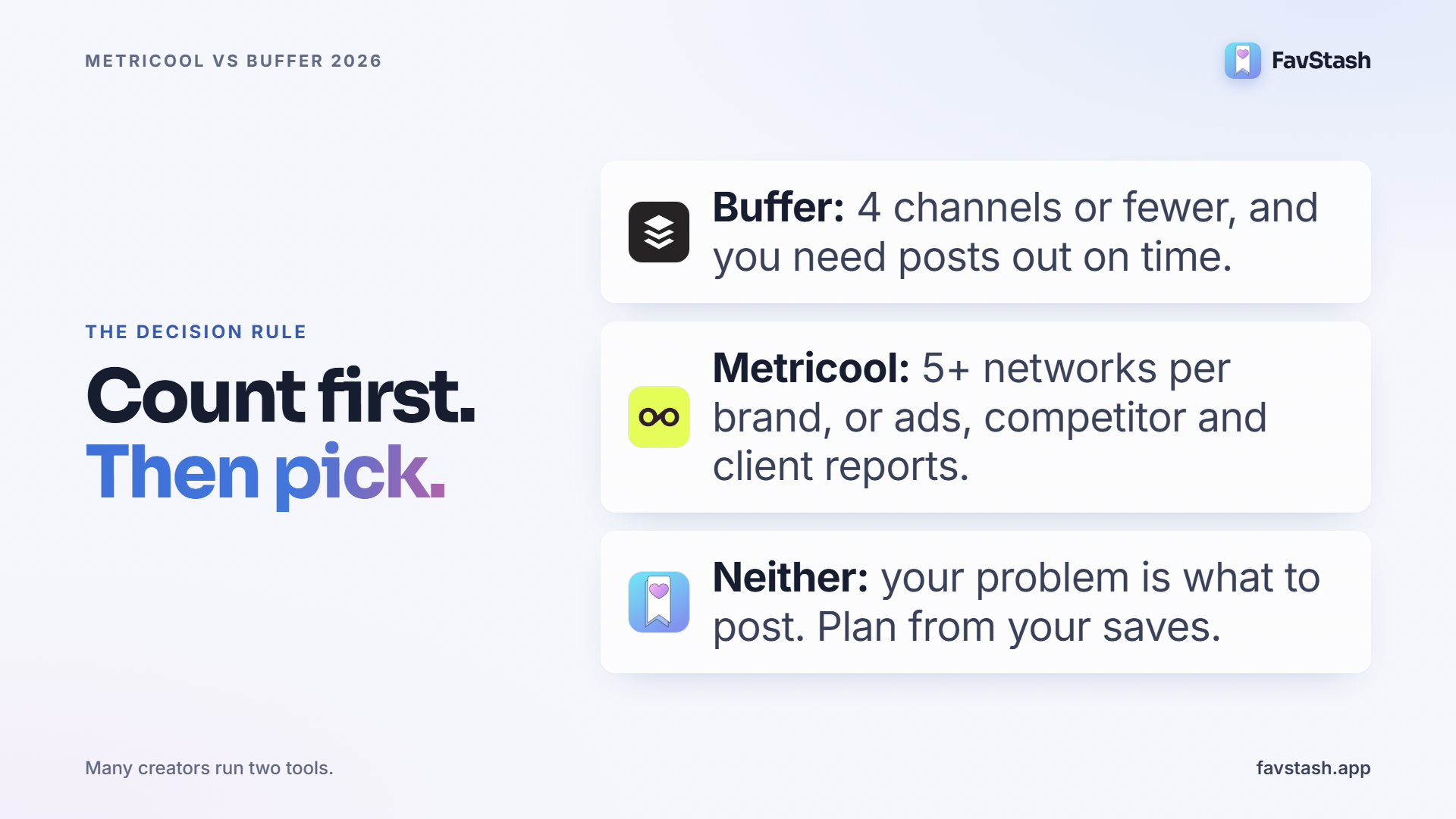
Buffer or Metricool? Pick Buffer if you post to four channels or fewer and mainly need posts out on time. Pick Metricool if you need competitor, ads or client reporting, or run five or more networks per brand. If your real problem is knowing what to post, neither one fixes it.
When neither fits: where FavStash comes in#
Buffer and Metricool both start once you know what to post. FavStash starts earlier, with the Reels, TikToks and Shorts you saved because something about them worked.
Save from your phone, search by what was said. You share a post to FavStash from the share sheet. FavStash stores the transcript, the caption, the hook (the opening line that made you stop), any on-screen text and a short summary. It then files each save into a collection. You can search your saves by meaning, not just keywords. The stash and search docs explain how it works. Buffer's Ideas board holds your own notes. Metricool's library holds your own media. Neither transcribes other creators' videos.
Plan and post from Claude or ChatGPT. Connect FavStash in Claude and ask it to find the hooks your saves share, plan the week, write a version for each platform and schedule after you approve. FavStash publishes to Instagram, TikTok, YouTube and LinkedIn, plus X on paid plans. See what a full week looks like in Claude as your social media manager. If you are starting with Instagram, follow the Instagram setup walkthrough.
Read your numbers in the same chat. FavStash pulls per-account and per-post social media analytics for Instagram, YouTube, TikTok and X, and compares platforms side by side. History is 7, 30 or 90 days depending on plan. The analytics docs list every metric for each platform. LinkedIn analytics are not available.
| Capability | FavStash | Buffer | Metricool |
|---|---|---|---|
| Save and search other creators' videos (transcript, hook) | Yes | No, Ideas board for your own notes | No |
| Works from Claude or ChatGPT | Yes, free on every plan | Yes | Yes |
| Networks | 5 (Instagram, TikTok, YouTube, LinkedIn, X on paid) | 12 | 11 |
| Competitor tracking | No | No | Yes |
| Ads data | No | No | Yes |
| Free plan | 1 channel, 10 posts a month | 3 channels | 1 brand, 20 posts a month |
Pricing: Free covers 1 channel and 10 posts a month. Doom Scroller is $12.99 a month for 3 channels and 50 posts. Creator Pro is $29 a month for 10 channels and unlimited non-X posts. Extra channels are $3 each. Our 17 channels would cost $50 on FavStash: cheaper than Buffer's $88, dearer than Metricool's $45. If you came here looking for a Metricool alternative, that page compares the two feature by feature.
What FavStash won't replace#
FavStash is not a full social media suite. Keep Metricool or Buffer if you need any of these.
- Ads reporting. No Meta, Google or TikTok Ads data.
- Competitor benchmarking. FavStash only reads your own accounts.
- Facebook, Pinterest, Threads, Bluesky, Google Business Profile or Twitch. FavStash connects 5 networks.
- LinkedIn analytics. FavStash can post to your LinkedIn profile but cannot read its numbers.
Many creators run two tools. Keep Metricool for reports, or Buffer for the networks FavStash doesn't cover. Use FavStash to go from saves to a scheduled week. And the AI connection feature which makes it the best tol for actually getting a one stop solution for social media.
Author's take#
Pricing our own 17 channels surprised me: Metricool was the cheapest of the four. Per-brand pricing is a good deal when each identity posts on several networks, and most comparisons hide that by quoting prices per channel.
My rule: count brands and channels first, then decide which job the tool has to do. If the job is reports, Metricool. If it is getting posts out, Buffer. For us, the scheduler was never the bottleneck. Deciding what to post was, which is why we plan from our saves.
Try it on your own saves#
Save five Reels you liked, connect one channel, and ask Claude or ChatGPT what they have in common. Start with FavStash on the free plan, no card needed.
FAQs
- #metricool
- #buffer
- #hootsuite
- #social-media-scheduling
- #ai social media manager