How to Manage Social Media With ChatGPT: Instagram, TikTok, YouTube and LinkedIn
Turn ChatGPT into a social media manager for Instagram, TikTok, YouTube and LinkedIn: save ideas, schedule posts and read analytics with FavStash.
https://www.linkedin.com/in/samm007 · · 16 min read
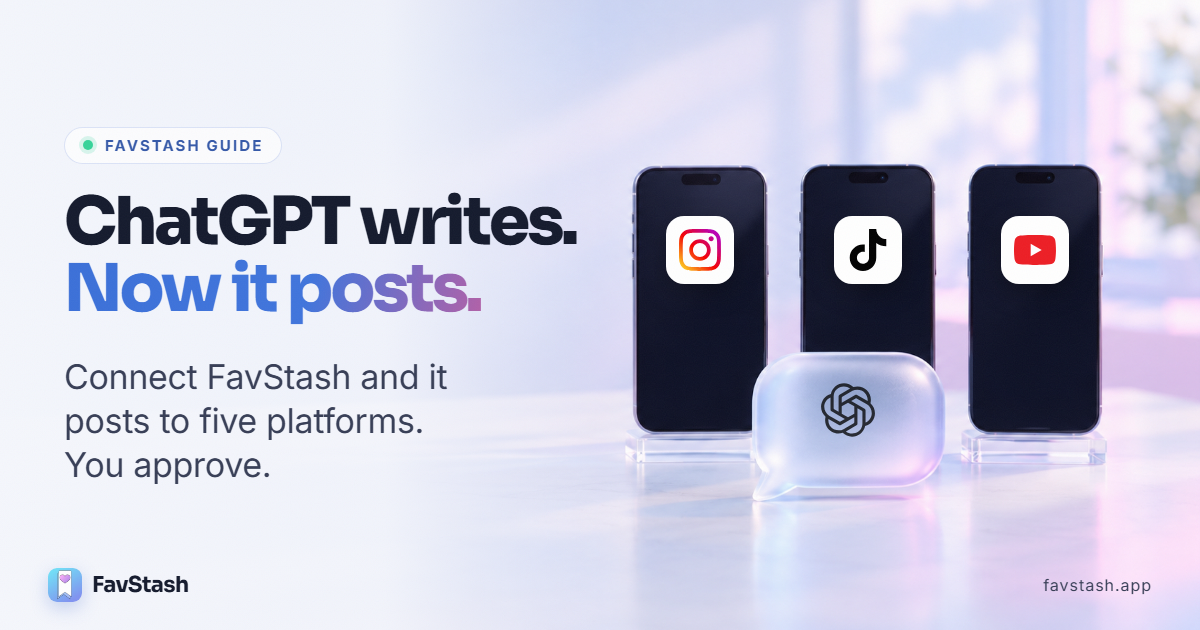
Can ChatGPT post to Instagram? Not on its own. ChatGPT has no login to your accounts, so out of the box all it can do is help write captions. But GPT is capable of becoming an all-in-all social media manager for your accounts and this blog tells you exactly how to do that.
FavStash fills that gap. Once connected, ChatGPT can search the Reels and TikToks you saved, plan the week from them, schedule and publish to Instagram, TikTok, YouTube, LinkedIn and X after you approve, and read your analytics. That is the whole job of a social media manager, in one chat. We pulled real numbers for this guide from our own AI Creator accounts. FavStash is our product, and we say where it stops.
At a Glance#
| Question | Short answer |
|---|---|
| Can ChatGPT post to Instagram by itself? | No. It needs a connected app with permission to publish. |
| What does FavStash give ChatGPT? | Your saved ideas, a publishing calendar for 5 platforms, and your analytics. |
| Who approves posts? | You. ChatGPT shows the draft and asks before it schedules or publishes. |
| How do I connect it? | Add FavStash as a custom app in ChatGPT on the web, then sign in. No API key. |
| What does it cost? | Your ChatGPT plan, plus FavStash: free for 1 channel and 10 posts a month. |
A ChatGPT social media manager is ChatGPT connected to FavStash through an MCP app. FavStash holds your saved inspiration, your social accounts and your numbers. ChatGPT does the thinking: it finds ideas, writes each platform's version, schedules it and tells you what worked. You approve before anything goes live.
Key Points#
- ChatGPT alone writes and plans. With FavStash it also remembers what you saved, posts and measures.
- Collections file your saves for you. FavStash transcribes each saved Reel, pulls out the hook and routes it to the right collection, so ChatGPT can search it by what was said.
- One request, several platforms. ChatGPT can schedule the same idea to Instagram, TikTok and YouTube, each with its own caption.
- Our own data: the same video got 1,059 views on YouTube and 197 on TikTok. A different one did six times better on TikTok.
- Know the limits: no comments or DMs, and no LinkedIn analytics.
Who this is for#
- Creators, solo founders and small teams who already write with ChatGPT and post several times a week.
- Anyone posting the same video to three or four platforms who is tired of re-uploading it in each app.
- Skip it if you post once a week and pasting takes five minutes.
What ChatGPT can do alone, and what FavStash adds#
Most people meet ChatGPT through captions or a meme. In August 2024, more than 310,000 people joined an Instagram trend asking ChatGPT to roast their feed from a screenshot, NBC News reported. That is ChatGPT working alone: it sees what you paste and nothing else.
Metricool's 2025 State of AI in Social Media report found 96% of social media professionals use AI tools and 72.5% use them daily, yet 45% say content quality holds them back. The writing is rarely the problem. ChatGPT just cannot see your saves, your calendar or your numbers.
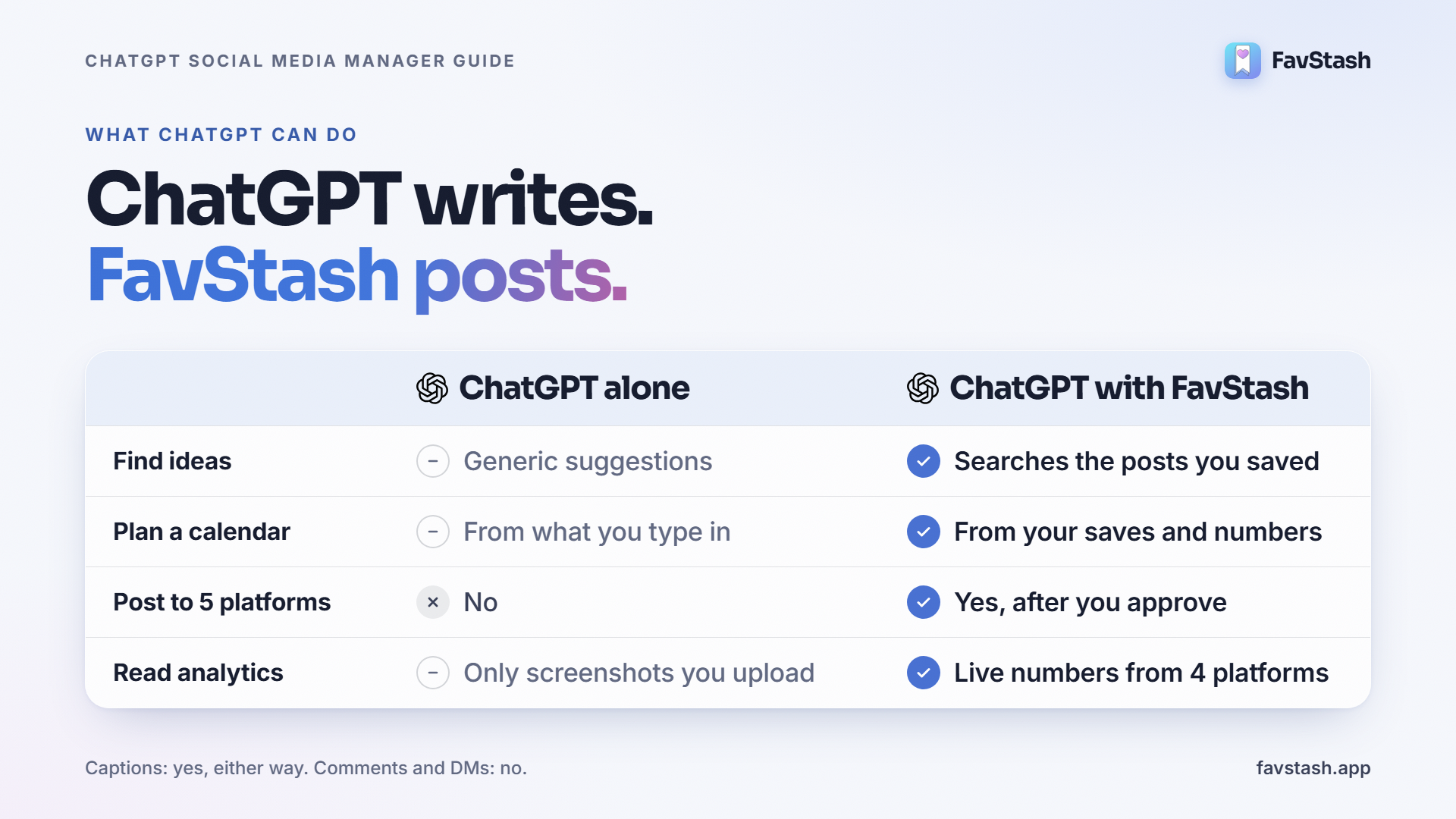
| Job | ChatGPT alone | ChatGPT with FavStash |
|---|---|---|
| Find ideas | Generic suggestions | Searches the Reels and TikToks you saved, by what was said |
| Write captions and scripts | Yes | Yes, modeled on your saves and past posts |
| Plan a content calendar | From what you type in | From your saves, your numbers and what is already queued |
| Schedule and publish | No | Yes, to 5 platforms, after you approve |
| Read analytics | Only screenshots you upload | Live numbers from Instagram, YouTube, TikTok and X |
| Reply to comments and DMs | No | No |
How to connect ChatGPT to FavStash#
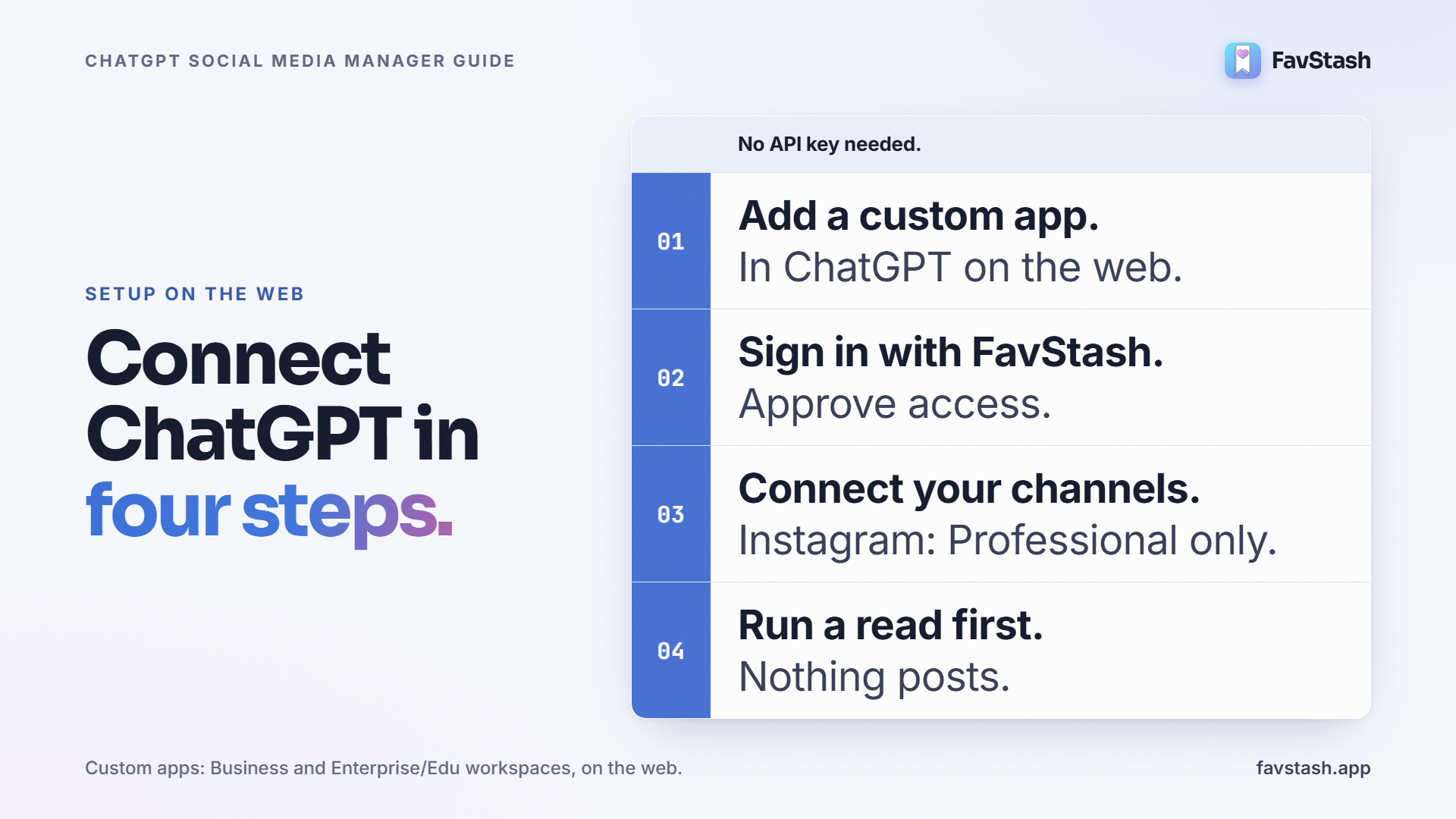
FavStash connects as a custom app in ChatGPT on the web. You paste one server address, sign in with FavStash, and approve access. There is no API key. The FavStash ChatGPT page has the current steps with screenshots.
Two things to check first. FavStash is not in ChatGPT's app directory yet, so you add it by hand. And OpenAI's help center lists custom apps for Business and Enterprise/Edu workspaces, set up on the web, not the phone. If your account cannot add one, the same tools work in Claude, where FavStash is listed in the connector directory (see the Claude version of this guide).
Then connect your social accounts in FavStash (see every supported channel). Instagram needs a Professional (Creator or Business) account, and the Instagram setup walkthrough covers that step by step.
Save ideas into collections ChatGPT can search#
A social media manager starts from a swipe file. In FavStash, that is your stash.
Saving takes two taps. In the Instagram, TikTok or YouTube app, tap Share and pick FavStash. Add a note if you like ("steal this hook"). You can also paste a link into ChatGPT and ask it to save it for you. Saves are unlimited on every plan.
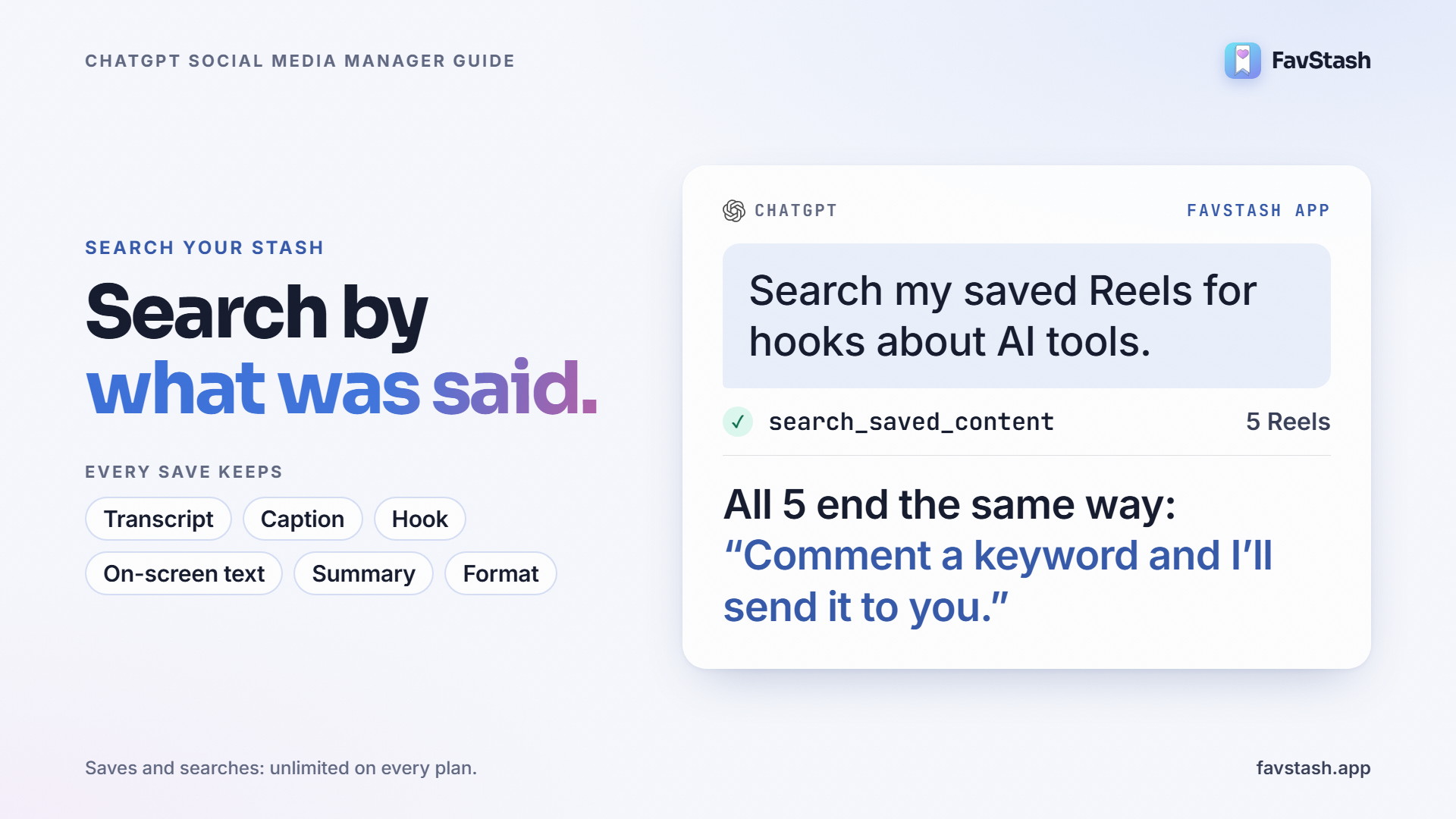
FavStash then reads the post. Where the source allows, it stores the transcript, the caption, the hook (the opening line that made you stop), any on-screen text, a short summary and the creative format, such as text over B-roll. Instagram's own Saved folder cannot search what was said in a video. Your stash can.
Collections file themselves. Collections are folders, such as "Hook ideas" or "Competitor content". When a save is processed, FavStash's AI reads it and routes it to the collection that fits best, using your collections' names and descriptions. A save gets one main collection and up to two more, so a cooking Reel with a great hook can sit in both "Recipes" and "Hook ideas". You can always move it, and your move wins.
| Collection tip | Why it matters |
|---|---|
| Write a real description | "Reels with hooks I want to remix" routes saves better than an empty one |
| Add a note when you save | Notes are searchable, so "the one I marked steal this transition" works as a query |
| Use filters for slicing | Platform, collection, date saved and tags. "Saved this week" is a filter, not a scroll |
ChatGPT searches by meaning. Ask "find the TikToks about pricing your first product" and it filters to TikTok, matches the idea even if the creator used different words, and returns the hook and transcript. When we searched our own stash for hooks about AI tools, all five unique Reels that came back used the same "comment a keyword and I'll send it to you" call to action. That is a pattern ChatGPT can spot for you before it copies it into your plan.
Scheduling and posting from ChatGPT#
Every post ChatGPT creates lands on FavStash's calendar, the same one you see in the web portal in week or month view. Each post is one of three things.
| Mode | What happens |
|---|---|
| Draft | Saved on the calendar, not published. Platform declarations can be finished later |
| Schedule | Queued for a date and time, then published automatically |
| Post now | Published straight away to every selected account |
One request, several accounts. Through ChatGPT, a single request can target several accounts and give each its own caption and media: a short TikTok caption, a longer Instagram one, a YouTube title and description.
Use ChatGPT's own images. ChatGPT can hand FavStash an image you attached in the chat, or one it generated, and FavStash imports it for posting. You do not need to host the file anywhere.
Review before it goes live. In ChatGPT, FavStash shows the draft as a review card. Opening it does not publish anything. ChatGPT also asks for confirmation before write actions, based on the app's permissions.
You do not need to stay online. At the scheduled time FavStash publishes with each platform's settings, retries temporary failures up to three times, and stores the live link. If a post fails, it flips to an error state on the calendar with the platform's reason attached, so you can fix it and requeue. Queued posts can be edited or cancelled until they publish. After that, edits happen on the platform.
What ChatGPT can post on each platform
The process is the same everywhere. The rules are not.
| Platform | ChatGPT can publish | Analytics in chat | The catch |
|---|---|---|---|
| Reels, carousels, Stories | Views, reach, likes, comments, shares, saves, skip rate | Professional account only. Media required, no text-only posts | |
| TikTok | Videos and photo posts | Last 20 videos plus current counters | Inbox uploads capped at 5 per 24 hours |
| YouTube | Shorts and videos | Views, watch time, average view duration, subscribers | Daily upload quotas apply |
| Text, images, one video or one PDF carousel | None | Personal profile only. Reconnect about every 60 days | |
| X | Text, photos, GIF or video | Limited, no unique reach | Paid FavStash plan. No threads |
Can ChatGPT post to Instagram? Yes, once connected: Reels, carousels and Stories. Videos publish as Reels, and a Story takes exactly one image or video. The full capability list is in the Instagram MCP server details.
Can ChatGPT post to TikTok? Yes, in two modes. Direct Post publishes for you. Inbox upload sends the video to your TikTok inbox to finish in the app. When we asked for TikTok's rules on 21 October, FavStash returned inbox upload as the default, a Direct Post declaration you must accept, and a disclosure for content that promotes a brand. ChatGPT checks those before it schedules.
Can ChatGPT post to YouTube? Yes, Shorts and long videos, public, unlisted or private. YouTube requires a title, a "made for kids" answer and an upload certification before publishing, and the caption becomes the description.
Can ChatGPT post to LinkedIn? Yes, to your personal profile: text up to 3,000 characters, up to 20 images, one MP4, or one PDF that LinkedIn shows as a swipeable carousel. LinkedIn does not share personal analytics with outside tools, so check those in LinkedIn.
Read your analytics in ChatGPT#
FavStash pulls numbers from each platform's official API, including posts you did not publish through FavStash. Ask in plain words: "rank my last 30 days of Reels by views", "which hook held viewers longest", "compare my TikToks with my Shorts". Instagram and YouTube give the fullest data. YouTube adds watch time and average view duration. TikTok gives counters for your 20 most recent videos.
Real output: one idea, three platforms
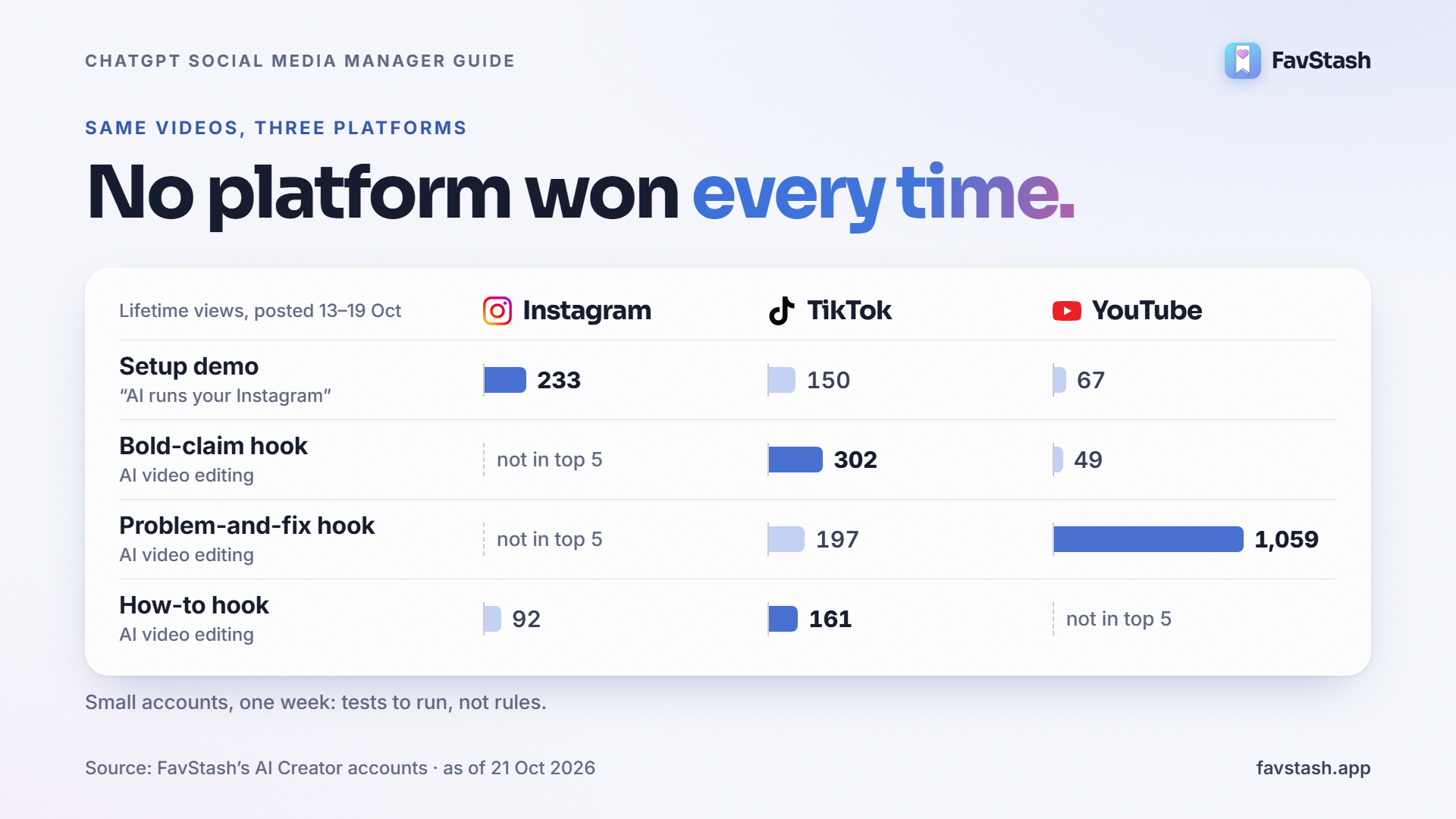
We asked FavStash to compare the last 30 days on its own Instagram, TikTok and YouTube accounts and match videos posted to more than one platform. We matched by title and publish date, as FavStash's output recommends. The data was pulled with FavStash's tools, the same ones ChatGPT calls. Counts are lifetime views as of 21 October 2026. "Not in top 5" means the video was outside that account's top five for the window.
| Video (posted 13–19 Oct) | TikTok | YouTube | |
|---|---|---|---|
| "AI runs your Instagram" setup demo | 233 | 150 | 67 |
| AI video editing, bold-claim hook | not in top 5 | 302 | 49 |
| AI video editing, problem-and-fix hook | not in top 5 | 197 | 1,059 |
| AI video editing, how-to hook | 92 | 161 | not in top 5 |
- No platform won every time. The problem-and-fix video got five times more views on YouTube than on TikTok. The bold-claim video did the reverse, six times better on TikTok.
- Instagram punished the how-to opener. That Reel's skip rate was 97.8%: almost every viewer swiped away within 3 seconds. The setup demo held better at 66.5%.
- "Best platform" is the wrong question. FavStash's own output warns that views and watch time are not equivalent across platforms. The useful question is which hook won where.
These are small accounts over one week, so treat them as tests to run next, not rules. The comparison took one prompt instead of three dashboards and a spreadsheet.
More FavStash features ChatGPT can use#
- 24 tools in ChatGPT. ChatGPT gets the same 19 tools as every other AI client, plus five ChatGPT-only helpers: account lookup, single-account analytics views, comparisons, and the draft review card. The full list is in the tools reference.
- The same stash in every AI. The connection works in ChatGPT, Claude, Codex, Cursor and other MCP clients, all reading the same saves, calendar and numbers. MCP and ChatGPT access are free on every plan.
- Weekly reports on autopilot. ChatGPT's scheduled tasks can use connected apps, and OpenAI says a task that needs approval pauses until you review it. A Monday "how did last week go" report can run itself while publishing still waits for you.
- Video editing, with a local agent. FavStash's free short-form skills let Codex (OpenAI's coding agent), Claude Code or Cursor script, cut, caption and animate Reels, then hand them to FavStash to schedule. The ChatGPT chat window cannot edit video itself. See AI video editing skills.
- A mobile app for saving. Saving happens on your phone through the share sheet. The phone app shows the calendar. Scheduling happens on the web or through ChatGPT.
- One calendar, whoever posts. Posts you schedule by hand in the web composer and posts ChatGPT schedules sit on the same calendar, so you see everything queued in one place.
Compared with a scheduler that also has a ChatGPT app, FavStash's difference is the stash: ChatGPT plans from what you saved, not from a blank page. If you need deep reporting dashboards or more networks, read our honest FavStash vs Metricool comparison.
| Plan | Price | Channels and posts | AI enrichments | Analytics history |
|---|---|---|---|---|
| Free | $0 | 1 channel, 10 posts a month | 100 lifetime | 7 days |
| Doom Scroller | $12.99/mo | 3 channels, 50 posts a month | 2,000 a month | 30 days |
| Creator Pro | $29/mo | 10 channels, unlimited non-X posts | Unlimited | 90 days |
Your ChatGPT subscription is separate. Saves and searches are unlimited on every plan.
ChatGPT prompts for social media you can copy#
Replace the brackets.
- Check the connection. "Show my connected accounts in FavStash. Do not publish anything."
- Mine your saves. "Search my saved Reels for hooks about [topic]. Group them by hook type and tell me which pattern my saves lean on."
- Compare platforms. "Rank my last [30] days on [Instagram, TikTok and YouTube] by views. Match videos posted to more than one platform and tell me which hook won on each."
- Plan the week. "Using those hooks and my numbers, plan [5] posts for next week. For each: platform, format, hook and the saved item that inspired it. Do not schedule yet."
- Draft per platform. "Write post [2] as an Instagram caption, a TikTok caption and a YouTube Shorts title. Voice notes: [3 sentences]. Flag any claim you cannot back up."
- Schedule with review. "Check the publishing rules for each account, then show me the drafts for review. Schedule only after I say approve."
What this setup still cannot do#
- No LinkedIn analytics, and no LinkedIn company pages until LinkedIn approves them separately.
- No video editing inside the ChatGPT chat. Use a local agent with the video skills, or your own editor.
- No trend feed. ChatGPT works from your saves and your numbers. Save examples of a new format first.
- Times are stored in UTC. Ask ChatGPT to convert from your time zone.
- Your data and training. On Free, Go, Plus and Pro, OpenAI says data accessed through apps may be used for training if "Improve the model for everyone" is on. Check that setting.
What practitioners are saying#
Four themes come up in Reddit and Quora threads from 2025 and 2026. Commenters who sell tools are flagged.
- Captions that sound like ChatGPT get scrolled past. On r/Instagram, one user said "seems like 95% of the posts now have the classic AI type of writing in the caption". A copywriter on r/copywriting said even the best prompt still writes "generic copy" without the right inputs. Saved examples are those inputs.
- The copy-paste loop is the pain. A creator on r/ChatGPT described the routine as "open ChatGPT, prompt it with a topic, copy the output, paste it into my scheduling tool, move on", with every chat starting from zero.
- Posting from chat works, with QA kept human. In r/SocialMediaManagers, a manager called the sweet spot AI for ideation, repurposing and scheduling, with approvals and final QA kept human. A Pallyy employee (vendor, disclosed) said it pays off at about one post a day or more.
- Analytics need a decision attached. A creator on r/InstagramMarketing said they see reach and profile views but "can never connect them to a decision".
On r/automation, a user also warned against any tool that "logs in and clicks around like a person". FavStash uses each platform's official sign-in, and access tokens stay on FavStash's servers, never shown to ChatGPT.
Author's take#
The table above is the argument for this setup. I would have guessed one platform was "our best". The data says each hook has its own home, and I only saw it because one prompt pulled three platforms side by side.
My rule: let ChatGPT search, compare and draft freely, and keep one human approval before anything publishes. Start with the read-only prompts, then schedule one week. If your ChatGPT account will not take a custom app yet, run the same setup in Claude until it does.
Ready to try it?#
Save five Reels you like, connect one channel, and ask ChatGPT what your saves have in common. When you are ready to schedule, connect FavStash to ChatGPT on the free plan.
FAQs
- #chatgpt
- #social-media-management
- #mcp
- #scheduling
- #ai social media manager
- #social media manager