FavStash for agents
Bring your stash into the conversation
Use a remote MCP connection to search inspiration, plan posts, and check your social accounts. Sign in with FavStash and approve access in your browser.
Using Codex or Claude Code with local files? Start with the CLI guide. This page is a guide; the server URLs below are the endpoints your agent connects to. Read as Markdown.
Choose your agent
Connect Claude
Listed in Claude’s connector directory for Claude web, Desktop, Cowork, and mobile. Workspace policy may require an administrator to allow it.
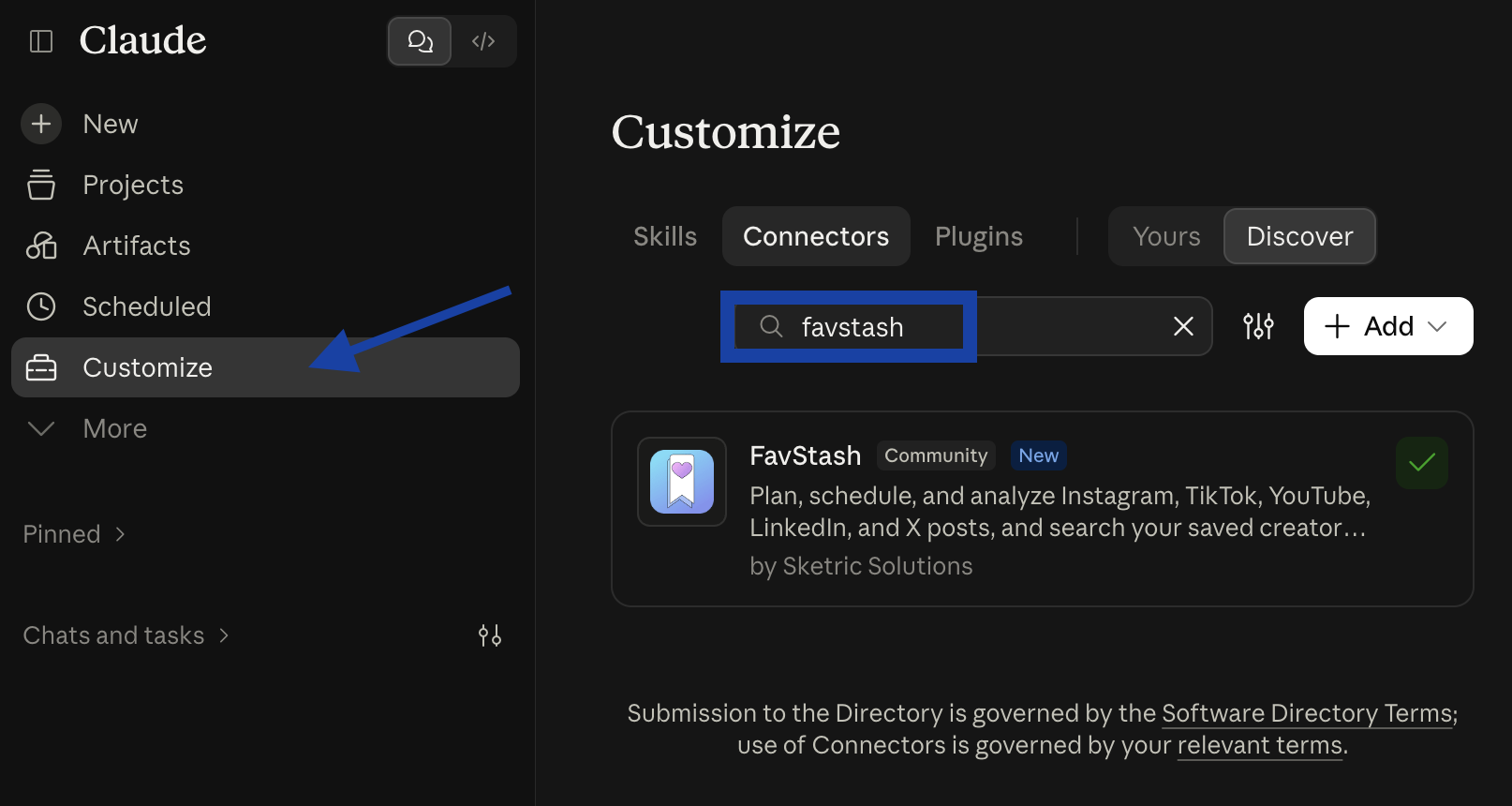
- In Claude, open Customize → Connectors → Discover and search for “favstash”, or open the FavStash listing directly.
- Select FavStash, then Connect. Sign in to FavStash in your browser and approve the requested access.
- Enable FavStash in the conversation and run the verification prompt below.

Verify the connection
prompt
Use FavStash's get_stash_summary tool once with no filters. Report whether it succeeded and the returned counts. Zero counts are valid. Do not modify any data.A successful response can include zero counts. Browser approval, configuration, or tool discovery alone does not verify access to your account.